The world of 3d printing has evolved rapidly, making it more accessible than ever for beginners. While owning a 3D printer is important, the software and tools you use play an equally critical role in determining your success. From designing your first model to slicing it correctly and preparing it for printing, the right software can simplify complex processes and help you achieve professional-quality results even as a novice.
For beginners, choosing the best 3d printing software can feel overwhelming due to the wide range of options available. Some tools focus on ease of use, while others emphasize advanced features. This guide breaks down the best 3D printing software and tools for beginners, explaining what they do, why they matter, and how they can help you build confidence as you step into the exciting world of additive manufacturing.
Understanding the Role of Software in 3D Printing
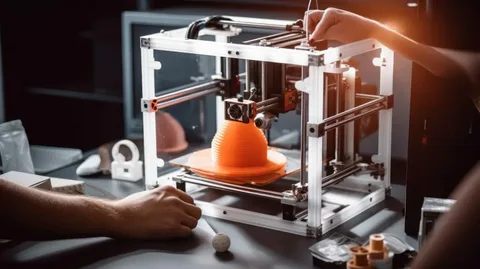
Software is the backbone of the 3d printing process, acting as the bridge between your idea and the physical object you create. It allows you to design 3D models, edit existing files, and prepare those models for printing by converting them into instructions your printer can understand. Without proper software, even the most advanced 3D printer cannot function effectively. For beginners, understanding this role is essential to avoid frustration and wasted materials.
Most 3d printing workflows involve three main software stages: design, slicing, and printer management. Design software helps you create or modify 3D models, slicing software translates those models into printable layers, and printer control tools manage the actual printing process. Beginner-friendly tools often combine simplicity with guided features, making it easier to learn while still producing reliable results.
Best Beginner-Friendly 3D Design Software
Design software is where creativity begins in 3d printing. For beginners, intuitive interfaces and easy-to-learn tools are crucial. Tinkercad is one of the most popular choices for newcomers, offering a browser-based platform that requires no prior design experience. Its drag-and-drop system allows users to create models using basic shapes, making it ideal for learning core design concepts without feeling overwhelmed.
Another excellent option for beginner 3d printing enthusiasts is SketchUp Free. Known for its clean interface and large user community, SketchUp enables users to design simple to moderately complex models with ease. While it may take some practice to understand its tools, beginners benefit from extensive tutorials and plugins tailored for 3D printing, making it a strong stepping stone toward more advanced design software.
Top Slicing Software for Beginners
Slicing software is a critical part of the 3d printing workflow because it determines how your printer will build your object layer by layer. Cura, developed by Ultimaker, is widely regarded as one of the best slicing tools for beginners. Its user-friendly interface offers preset profiles for popular 3D printers, allowing newcomers to get started quickly without needing deep technical knowledge.
Another beginner-friendly slicing tool for 3d printing is PrusaSlicer. While it includes advanced features, it also provides simple modes designed specifically for new users. These modes automate complex settings like layer height, infill density, and print speed. As beginners gain experience, they can gradually explore more detailed controls, making PrusaSlicer a tool that grows alongside their skills.
Essential 3D Printing Tools and Utilities
Beyond software, physical and digital tools play a vital role in successful 3d printing. Basic tools such as spatulas, tweezers, and calibration cards help with print removal and printer setup. These tools ensure that prints adhere correctly to the build plate and can be removed safely without damage. For beginners, having the right tools reduces trial-and-error and improves overall print quality.
Digital utilities are equally important in 3d printing. File repair tools like Meshmixer help fix common issues in 3D models, such as holes or non-manifold edges, that can cause print failures. These utilities are especially valuable for beginners who download models from online repositories and may encounter files that are not perfectly optimized for printing.
Online Platforms and Learning Resources for Beginners
Learning platforms and online communities are invaluable for anyone new to 3d printing. Websites like Thingiverse and Printables offer thousands of free, beginner-friendly models that can be printed immediately. These platforms allow beginners to practice printing without needing advanced design skills, helping them understand printer behavior and material settings.
Educational resources such as YouTube tutorials, forums, and online courses further support beginners in 3d printing. Many software developers provide step-by-step guides and video tutorials tailored to new users. Engaging with these resources not only accelerates learning but also builds confidence, enabling beginners to troubleshoot problems and continuously improve their skills.
Choosing the Right Software Stack for Your 3D Printing Journey
Selecting the right combination of software is crucial for a smooth 3d printing experience. Beginners should focus on tools that prioritize simplicity, stability, and strong community support. Starting with an easy design tool like Tinkercad, paired with a reliable slicer like Cura, creates a balanced workflow that minimizes complexity while delivering consistent results.
As beginners become more comfortable with 3d printing, they can gradually explore advanced features and software alternatives. The key is to start simple, master the basics, and build confidence step by step. With the right software and tools, beginners can unlock the full potential of 3D printing and turn creative ideas into tangible, high-quality objects.