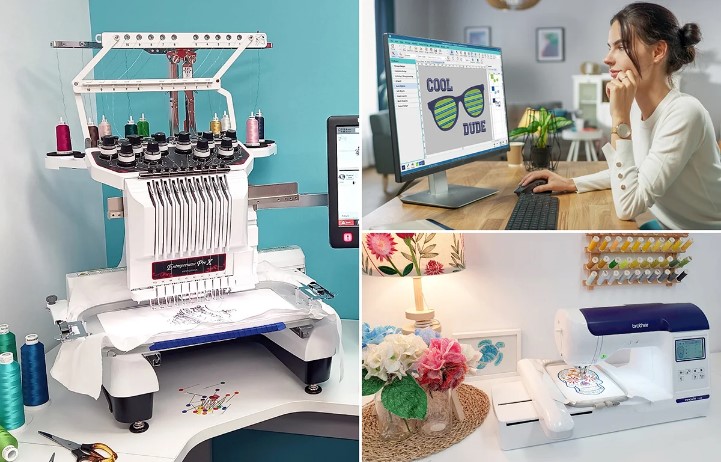
When working with Brother or Babylock embroidery machines, Image to PES File Conversion is a critical step in achieving professional and precise stitch results. Simply feeding an image into a machine won’t work. The machine needs specific instructions on how to stitch every detail, from thread density to stitch type. In this guide, we’ll explore everything you need to know about converting images into PES files, from preparation to testing, ensuring your embroidery comes out clean, accurate, and production-ready.
What Is a PES File?
A PES file is a proprietary embroidery format used primarily by Brother and Babylock machines. Unlike standard image formats like JPG or PNG, PES files store stitch data instead of pixels. This data includes:
- Stitch types (satin, fill, running)
- Stitch direction and sequence
- Thread color changes
- Trims and stops
- Stitch density and compensation
PES files tell the embroidery machine exactly how to reproduce a design on fabric, making them essential for professional embroidery.
Why You Can’t Use an Image Directly
Images are visual representations, they don’t contain stitching instructions. If you try to stitch an image without conversion:
- Details may appear distorted or blurred
- Text can be unreadable
- Lines and shapes may not stitch correctly
- Fabric may pucker or threads may break
This is why Image to PES File Conversion is crucial: it translates visual designs into stitch-ready data.
Preparing Your Image for PES Conversion
Good preparation can save time and improve embroidery quality.
Choose High-Quality Artwork
High-resolution images make it easier to capture details accurately. Blurry or low-resolution images can lead to uneven stitches.
Simplify the Design
Too many small elements or gradients can complicate stitching. Simplify fine details to ensure the design translates cleanly to thread.
Optimize Colors
Embroidery threads are limited compared to digital colors. Reduce excessive colors to simplify stitching and avoid too many thread changes.
Understanding the Digitizing Process
Digitizing is the process of converting an image into a stitch-ready PES file. It’s more than a simple file conversion; it’s a technical translation of visual design into machine instructions.
Assign Stitch Types
- Satin Stitches for borders, text, and narrow shapes
- Fill Stitches for larger areas
- Running Stitches for outlines and fine details
Plan Stitch Direction
Proper stitch angles reduce fabric distortion and create smooth texture.
Adjust Stitch Density and Underlay
- Density affects how tightly stitches are packed. Too tight causes puckering; too loose leaves gaps.
- Underlay stitches stabilize the fabric and improve the durability of the design.
Apply Pull and Push Compensation
Fabric naturally pulls during embroidery. Compensation adjusts stitch placement so the design maintains its shape.
Common Mistakes During Image to PES Conversion
Even experienced hobbyists can make errors when converting images. Watch out for:
- Relying solely on auto-digitizing tools
- Ignoring fabric type
- Using overly complex designs
- Skipping test stitch-outs
- Incorrect stitch density or direction
Avoiding these mistakes ensures professional-quality embroidery and reduces wasted materials.
Testing Your PES File
No PES file should go straight to production without testing. Test stitch-outs reveal:
- Misaligned stitches
- Thread breaks
- Gaps or overlaps
- Density issues
Testing allows adjustments before producing multiple garments, saving time and resources.
Auto-Digitizing vs Professional Digitizing
Auto-Digitizing
Quick but often inaccurate, auto-digitizing can produce messy stitch paths and incorrect densities.
Professional Digitizing
Manual digitizing ensures:
- Clean stitch paths
- Correct stitch types and angles
- Accurate pull compensation
- Optimized stitch sequencing
Professional PES files consistently produce better results, especially for logos and intricate designs.
Benefits of Professional Image to PES File Conversion
- Accurate logo reproduction on fabric
- Reduced thread waste and machine stoppages
- Cleaner edges and text
- Faster production runs
- Consistent results across multiple garments
High-quality PES files save time, reduce errors, and elevate the overall embroidery quality.
Choosing the Right Fabric for PES Designs
Different fabrics respond differently to embroidery:
- Cotton: Stable and easy to stitch
- Polyester: May require slightly reduced density
- Stretch fabrics: Need stronger underlay and compensation
- Caps or heavy garments: Require specialized stitch paths
Professional digitizing takes fabric behavior into account to optimize the final stitch results.
DIY vs Professional Conversion
DIY Conversion
Suitable for simple designs, but requires software knowledge, testing, and patience.
Professional Conversion
Essential for complex logos, multiple colors, or commercial production. Professionals ensure the design stitches accurately with optimized density, pull compensation, and test-verified files.
Final Thoughts
Mastering Image to PES File Conversion is key for creating embroidery that looks professional and stitches accurately on any fabric. From preparing artwork to selecting stitch types, planning stitch direction, and testing the design, every step affects the final output.
For those looking for high-quality, production-ready PES files with clean stitches and perfect accuracy, many businesses and embroidery enthusiasts trust Digitizing Buddy for expertly digitized designs that deliver flawless results every time.