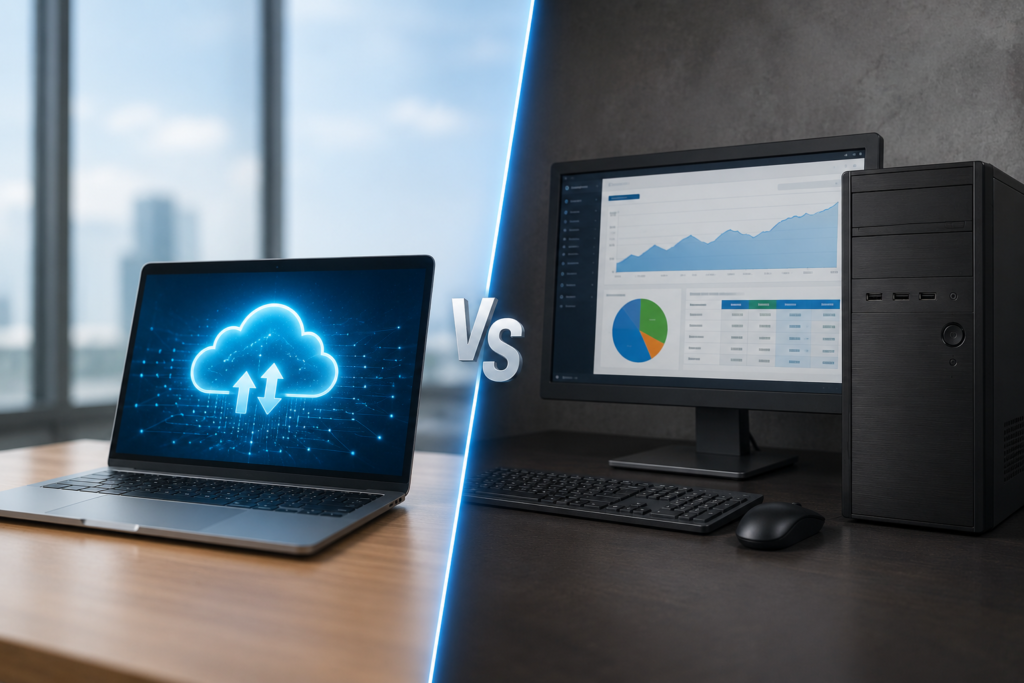
Choosing accounting software feels simple until you actually start comparing options — and then one question keeps coming up: should you go with cloud accounting software or stick with a traditional desktop accounting software? For small business owners, this decision affects everything from daily workflow to long-term scalability, data security, and even how easily you can work with your accountant.
This isn’t just a technical choice. It shapes how quickly you can access your financial data, how well your team can collaborate, and how prepared your business is for growth — whether that growth happens down the street or across borders.
In this guide, we’ll break down the real differences between cloud and desktop accounting software, when each makes sense, and how small businesses in India and globally can make the right call for their specific needs.
What Is Cloud Accounting Software?
Cloud accounting software runs on remote servers and is accessed through a web browser or mobile app. There’s nothing to install — you simply log in from any device with internet access.
Popular examples include platforms that offer real-time syncing, automatic updates, and built-in bank feeds, all hosted securely online.
Key Characteristics
- Data stored on secure remote servers
- Accessible from anywhere, anytime
- Automatic software updates
- Typically subscription-based pricing
- Built-in multi-user collaboration
What Is Desktop Accounting Software?
Desktop accounting software is installed directly on a single computer or local server. All data is stored locally, and access is generally limited to the machine (or network) where it’s installed.
Key Characteristics
- Data stored on local hardware
- One-time license fee (sometimes with paid upgrades)
- No internet dependency for daily use
- Limited remote access unless configured separately
- Manual backups required
Cloud vs Desktop Accounting Software: Side-by-Side Comparison
| Feature | Cloud Accounting Software | Desktop Accounting Software |
| Accessibility | Anywhere, any device | Limited to installed computer |
| Cost structure | Subscription-based | One-time license fee |
| Data backup | Automatic, cloud-based | Manual, user-managed |
| Collaboration | Real-time, multi-user | Restricted, often single-user |
| Updates | Automatic | Manual installation required |
| Internet dependency | Required | Not required for core use |
| Scalability | High — grows with business | Limited, often needs upgrades |
| Security | Managed by provider (encryption, backups) | Depends entirely on local setup |
Benefits of Cloud Accounting Software
1. Access Your Books From Anywhere
Whether you’re meeting a client, traveling, or working from home, cloud accounting lets you check invoices, cash flow, and reports instantly — no need to be at a specific desk.
2. Real-Time Collaboration
Multiple team members, and even your external accountant, can log in simultaneously and work on the same live data. This eliminates the back-and-forth of emailing files and merging updates.
3. Automatic Backups and Updates
Cloud platforms handle backups and software updates automatically, reducing the risk of data loss and ensuring you’re always using the latest compliance-ready version.
4. Built-In Compliance Features
Many cloud platforms now offer billing and accounting software built directly into the dashboard — meaning tax calculations, return preparation, and compliance tracking happen automatically as transactions are recorded, instead of being a separate manual process at month-end.
5. Lower Upfront Costs
Instead of a large one-time purchase, cloud accounting typically works on a subscription model, making it easier for small businesses to manage cash flow while still accessing advanced features.
Benefits of Desktop Accounting Software
1. No Internet Dependency
For businesses in areas with unreliable internet access, desktop software offers uninterrupted functionality since everything runs locally.
2. One-Time Cost Appeal
Some businesses prefer paying once rather than committing to ongoing subscription fees, especially if their accounting needs are simple and unlikely to change.
3. Full Local Control Over Data
Some business owners feel more comfortable knowing their financial data is stored entirely on their own hardware rather than a third-party server — though this also means the responsibility for security and backups falls entirely on them.
Which One Saves More Time and Reduces Risk?
For most modern small businesses — especially those with remote teams, multiple locations, or growth plans — cloud accounting software tends to offer a clear time advantage. Here’s why:
- No manual backups to remember or manage
- Instant access to reports without exporting or transferring files
- Automatic tax updates as regulations change
- Faster onboarding for new employees or accountants
Desktop software can still work well for very small, single-location businesses with simple, stable accounting needs and limited internet access. But as a business grows, the lack of flexibility often becomes a bottleneck.
Legal Importance and Business Advantages of Proper Accounting Systems
Beyond convenience, the accounting system you choose has real legal and business implications.
Legal Importance
- Audit trail accuracy: Cloud systems automatically timestamp and log every transaction, which is valuable during tax audits.
- Statutory compliance: Automated GST, TDS, and income tax calculations reduce the risk of penalties from filing errors.
- Data retention requirements: Many jurisdictions require businesses to retain financial records for several years — cloud backups make this far more reliable than local storage alone.
Business Advantages
- Investor and lender confidence: Clean, accessible financial records make due diligence faster during funding rounds or loan applications.
- Business continuity: If a laptop is lost, stolen, or damaged, cloud-stored data remains safe — desktop data may be lost permanently without proper backups.
- Easier scaling: As transaction volume grows, cloud systems handle increased load without requiring hardware upgrades.
Company Registration and Accounting Software: A Practical Example
Choosing the right accounting software often ties directly into how — and where — a business is legally registered.
Example: A Growing Retail Business in India
A small retailer registers as a Private Limited Company and opts for an accounting software for MSME plan that includes GST filing, invoicing, and inventory tracking from day one. Because the software is cloud-based, the owner can:
- Access sales and tax data from multiple store locations
- Share real-time reports with their CA during GST filing season
- Scale up storage and users as the business adds new branches
This kind of setup would be far more difficult — and time-consuming — to replicate with desktop software installed on a single system at one location.
Global Business Registration Considerations
For businesses planning to register or operate internationally, cloud accounting software offers a distinct advantage. It supports:
- Multi-currency transactions for cross-border sales
- Remote access for international company registration paperwork and compliance
- Integration with global business registration and incorporation platforms
- Real-time reporting for entities registered as an LLC, private limited company, or corporation in multiple countries
This flexibility is one reason cloud accounting has become the default choice for businesses with expansion plans, whether that’s opening a second office in another Indian state or incorporating a subsidiary abroad.
What to Look for Beyond Cloud vs Desktop
The cloud-versus-desktop decision is important, but it’s not the only factor. Small businesses should also evaluate:
1. GST and Tax Compliance Tools
Look for built-in GST filing, TDS calculations, and automatic tax rate updates.
2. Payroll Capabilities
If you have employees, check the accounting solutions India offers — including salary processing, statutory deductions, and compliance with labor law reporting — since managing payroll separately from accounting often creates duplicate work.
3. Inventory and Multi-Location Support
Retail and manufacturing businesses need software that tracks stock across warehouses or store locations in real time.
4. Pricing Transparency
Compare plans carefully — some providers bundle GST filing and payroll into higher tiers, while others charge separately per module.
Common Misconceptions
| Myth | Reality |
| “Cloud accounting isn’t secure” | Reputable providers use bank-grade encryption and regular security audits |
| “Desktop software is always cheaper long-term” | Upgrade fees and lack of scalability can add hidden costs over time |
| “Cloud software requires constant internet” | Many platforms offer limited offline functionality with auto-sync once reconnected |
| “Switching to cloud means losing old data” | Most providers offer data migration tools to import historical records |
Final Thoughts
The choice between cloud and desktop accounting software ultimately comes down to how your business operates today — and where you want it to go. Desktop software can still serve very small, single-location businesses with simple needs and limited connectivity. But for most small businesses aiming to grow, collaborate remotely, stay compliant, and reduce manual admin work, cloud accounting software offers a clear long-term advantage.
As GST regulations evolve, teams become more distributed, and businesses increasingly look beyond local markets, cloud-based systems provide the flexibility and real-time visibility that today’s small business owners need to stay competitive — without adding unnecessary complexity to their day.
Frequently Asked Questions (FAQs)
1. Is cloud accounting software better than desktop software for small businesses?
For most growing businesses, yes — cloud accounting offers remote access, automatic backups, and real-time collaboration that desktop software typically can’t match. However, very small businesses with simple, stable needs may still find desktop software sufficient.
2. Is cloud accounting software safe for storing financial data?
Reputable cloud accounting providers use encryption, regular security audits, and automated backups, often making data more secure than a single local computer without proper backup protocols.
3. Can cloud accounting software handle GST filing in India?
Yes, many cloud platforms offer accounting software with GST filing built in, automatically calculating tax liability and preparing return-ready reports as transactions occur.
4. Does cloud accounting software work without internet access?
Most cloud platforms require an internet connection for real-time syncing, though some offer limited offline functionality that syncs automatically once connectivity is restored.
5. How much does a cloud accounting software subscription cost in India?
Pricing varies by provider and features included, such as GST filing, payroll, and multi-user access. Most platforms offer tiered plans designed to fit different business sizes and budgets.
6. Can cloud accounting software support businesses expanding internationally?
Yes. Cloud-based systems often support multi-currency transactions and remote access, making them well-suited for businesses managing operations or registrations across multiple countries.