Discover five free Google AI tools designed for professionals to automate workflows, create marketing campaigns, design interfaces, and significantly boost workplace productivity and efficiency.
Google is expanding its AI ecosystem with Google Free AI Tools that can support professionals across marketing, design, automation, productivity, and creative work.Instead of depending on one general-purpose AI assistant, professionals can now choose specialized tools for specific workplace tasks. Pomelli, Stitch, Opal, Gemini Spark, and Mixboard each focus on a different part of the modern work process. These tools can help reduce repetitive tasks, develop ideas faster, and simplify complex workflows. However, users should always check current availability because access and features can change.
The Bumppy overview shows that Google is moving AI beyond simple conversations and toward practical professional workflows.
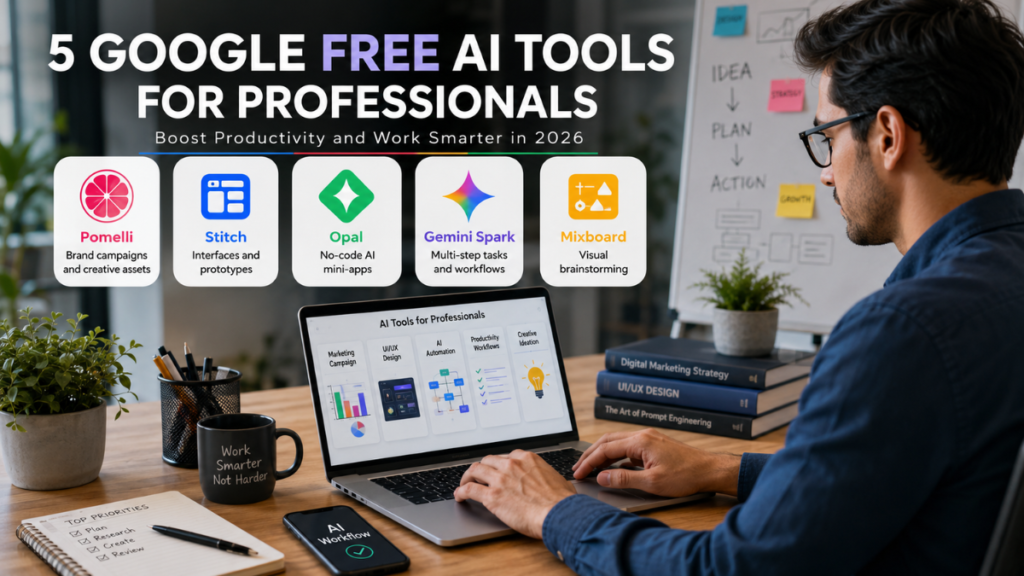
Pomelli can support marketing activities, Stitch focuses on interface design, and Opal makes AI workflow creation accessible without traditional coding. Gemini Spark is designed around multi-step tasks, while Mixboard provides a visual environment for exploring ideas.
Together, these tools demonstrate how AI can become part of everyday professional processes. The most useful tool depends on the user’s role, goals, and type of work.
Which Google AI Tools Are Most Useful for Professionals?
There is no single Google Free AI tools that is ideal for every professional. Marketing teams can use Pomelli to develop brand-focused campaigns and creative ideas. Designers and product teams can explore interfaces and prototypes with Stitch. Opal is useful for creating AI mini-apps and workflows without traditional programming. Gemini Spark focuses on multi-step productivity tasks, while Mixboard is designed for visual brainstorming. Choosing a tool according to the task can make AI more useful and easier to integrate into a daily workflow.
5 Google AI Tools That Can Improve Your Professional Workflow
- Pomelli: Helps create marketing concepts, branded content, campaign ideas, and creative assets.
- Stitch: Turns natural-language descriptions into high-fidelity interface designs and prototypes.
- Opal: Lets users build AI-powered mini-apps and workflows without conventional coding.
- Gemini Spark: Supports complex, multi-step tasks across connected Google services for eligible users.
- Mixboard: Helps professionals brainstorm, visualize, and develop creative concepts.
- Smart combination: Professionals can use multiple tools together when a project requires marketing, design, automation, and ideation.
Why Specialized Google AI Tools Matter in the Workplace
The real advantage of professional AI is not limited to generating text or answering questions. Specialized tools can support different stages of a project and help reduce time spent on repetitive activities. For example, a marketing team can explore concepts with Mixboard before using Pomelli to develop brand-focused creative ideas. A product team can use Stitch to visualize an interface, while Opal can help create a small AI workflow around repetitive tasks. Gemini Spark takes this idea further by focusing on connected, multi-step activities. This shift can help professionals spend more time on strategy, creativity, and decision-making.
How These Google AI Tools Fit Into Real Professional Tasks
Pomelli: Making Brand Marketing Easier
Pomelli is designed around AI-assisted marketing and can help businesses develop creative ideas based on their existing brand identity. It can analyze information from a website to understand elements such as colors, imagery, fonts, and communication style. Professionals can use these insights to develop marketing concepts and campaign assets. It can be particularly useful for small businesses and teams that need consistent creative output.
Stitch: Turning Ideas Into Interface Designs
Stitch focuses on AI-assisted UI creation and prototyping. Users can describe an interface concept and then refine the generated design through additional instructions. This can help designers, developers, founders, and product teams explore ideas before development begins. Creating an early visual concept can also make communication between design and development teams easier.
Opal: Building AI Workflows Without Traditional Coding
Opal is designed for users who want to create AI mini-apps without writing conventional application code. Natural-language instructions can be used to create workflows involving prompts, models, and different tools. This makes experimentation with AI more accessible to non-technical professionals. It can be useful for creating small, task-specific workflows that would otherwise require additional development time.
Gemini Spark: Supporting Multi-Step Work
Gemini Spark is positioned as an AI agent rather than a conventional chatbot. It is designed to work through complex, multi-step tasks across connected Google applications when the required access is enabled. This approach can be useful for professionals managing workflows that involve multiple stages and services. However, Gemini Spark is not universally free, with access depending on current subscription, business, and regional requirements.
Mixboard: Exploring Ideas Visually
Mixboard focuses on visual brainstorming and creative concept development. Professionals can use it for moodboards, campaign planning, product ideas, creative exploration, and early-stage project discussions. The goal is not necessarily to create a finished product immediately but to help users explore possible directions. This makes it valuable when a team needs to develop and refine ideas before production.
FAQs
What are the best free Google AI tools for professionals?
Pomelli, Stitch, Opal, Gemini Spark, and Mixboard offer different capabilities, although their availability and access conditions vary.
Which Google AI tool is best for marketers?
Pomelli is a strong choice for professionals working on brand-focused marketing, campaign ideas, and creative assets.
Can Stitch be used for UI design?
Yes. Stitch is designed to help users create, refine, and prototype user interface concepts with AI assistance.
Does Opal require coding knowledge?
Opal is designed to let users create AI mini-apps and workflows through natural-language instructions rather than traditional coding.
Is Gemini Spark available for everyone?
No. Gemini Spark has specific access requirements and is currently available to eligible users and select business customers.
Bumppy Wrap Up: Choosing the Right AI Tool
Google’s latest AI tools demonstrate how professional AI is becoming more specialized and workflow-focused.
Pomelli works well for marketing, Stitch for UI design, Opal for no-code AI workflows, Gemini Spark for multi-step tasks, and Mixboard for visual ideation.
Professionals can benefit most when they choose tools based on actual workplace requirements rather than popularity alone.
It is also important to check the latest availability, features, subscription requirements, and regional restrictions.
The Bumppy Wrap Up is simple: choose the Google AI tool that solves a real problem and makes your professional workflow more efficient.