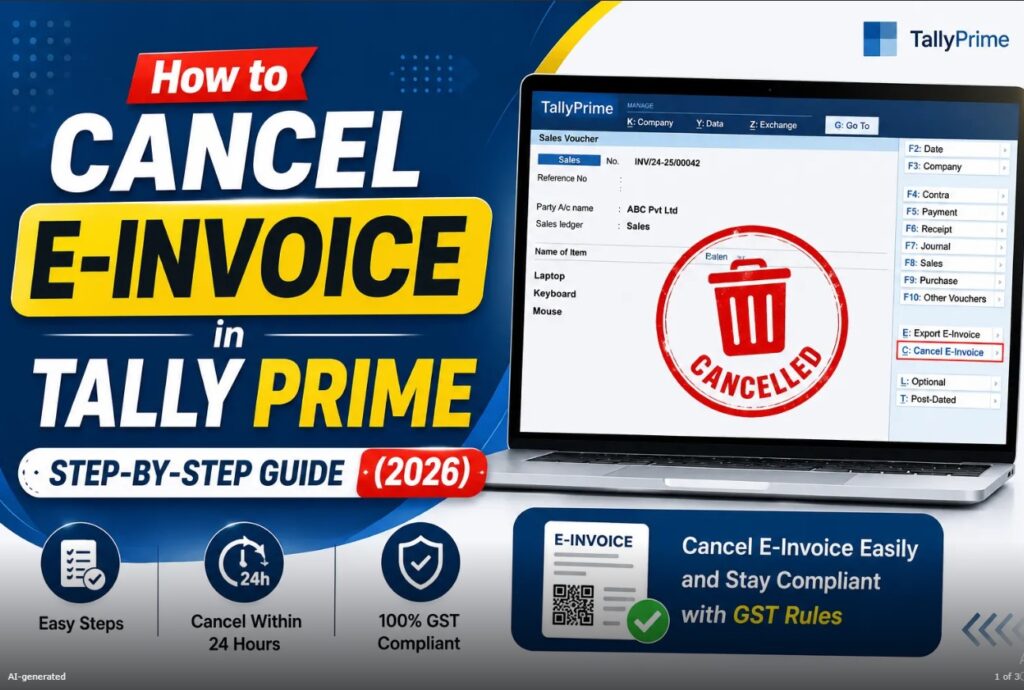
An e-invoice is an important part of GST compliance for eligible businesses in India. Once an invoice is generated and an Invoice Reference Number (IRN) is obtained through the applicable e-invoicing system, businesses may sometimes discover that the invoice contains an error, the transaction was cancelled, or the supply did not take place as originally recorded.
In such situations, knowing how to cancel e-invoice in Tally Prime is important.
Tally Prime provides accounting and e-invoicing workflows that can help businesses manage transactions and related GST information. However, cancellation of an e-invoice is not simply the same as deleting a voucher from the accounting software. The e-invoice and its IRN are governed by GST e-invoicing rules and the applicable e-invoice system.
This guide explains how to cancel an e-invoice in Tally Prime, the general cancellation process, the cancellation time limit, what happens after cancellation, common mistakes, and important points businesses should understand before cancelling an e-invoice.
Important: GST and e-invoicing requirements can change. Always verify the current rules, time limits, and functionality in your Tally Prime release and the official GST/ system before taking compliance action.
What Is an E-Invoice?
An e-invoice is an electronically authenticated GST invoice generated through the applicable Invoice Registration Portal (IRP) for taxpayers covered by India’s e-invoicing requirements.
When an eligible invoice is reported to the IRP, the system validates the information and generates an Invoice Reference Number (IRN) along with other applicable details.
The purpose of e-invoicing includes improving invoice reporting, reducing duplication, strengthening data accuracy, and helping businesses comply with GST requirements.
Tally Prime can be used to prepare accounting transactions and, depending on the applicable release and configuration, work with generation and related GST workflows.
What Does Canceling an E-Invoice Mean?
Canceling an e-invoice means cancelling the IRN-related e-invoice through the applicable e-invoicing system.
This is different from simply deleting or altering the accounting voucher in Tally Prime.
For example, suppose a business creates a sales invoice for a customer and successfully generates an IRN. Later, the business discovers that the transaction itself has been cancelled.
The business may need to cancel the e-invoice according to the applicable GST e-invoicing procedure.
The accounting entry and the e-invoice status should be handled correctly.
This distinction is important because deleting a voucher from Tally Prime does not automatically mean that the corresponding IRN has been cancelled.
When Should You Cancel an E-Invoice?
An e-invoice may need to be cancelled when the underlying transaction itself is cancelled or when the invoice was generated incorrectly and cancellation is appropriate under the applicable rules.
Common situations can include:
- The sales transaction is cancelled.
- The invoice was generated for an incorrect transaction.
- The supply did not take place.
- An invoice was generated by mistake.
- Important invoice information requires correction that cannot be handled through the permitted amendment process.
However, not every mistake should be handled by cancelling the e-invoice.
If only certain details need correction, the appropriate GST accounting or amendment procedure may be different.
Always distinguish between cancelling a transaction and correcting an invoice.
Can You Edit an E-Invoice After Generating the IRN?
Generally, an e-invoice that has already been registered and assigned an IRN cannot simply be edited like an ordinary accounting voucher.
If there is a material error in an e-invoice, businesses may need to cancel the existing e-invoice within the applicable cancellation period and then create a new invoice where appropriate.
For example, suppose the customer details or taxable value were entered incorrectly.
Instead of assuming that editing the Tally Prime voucher will modify the already generated IRN, the business should follow the applicable GST procedure.
The accounting record and IRP record must be kept consistent.
E-Invoice Cancellation Time Limit
One of the most important points when cancelling an e-invoice is the applicable time limit.
Under the GST e-invoicing framework, an e-invoice generally has a 24-hour window from the time of reporting for cancellation through the IRP.
After the permitted cancellation period has expired, the IRN cannot generally be cancelled through the IRP.
This means businesses should identify errors as soon as possible.
Do not wait until the end of the permitted period if an invoice genuinely needs cancellation.
Important: Always verify the current cancellation rule and applicable system restrictions before processing a cancellation because GST procedures and technical requirements can be updated.
Step-by-Step: How to Cancel E-Invoice in Tally Prime
The exact screens and options can vary depending on the Tally Prime release and e-invoicing configuration.
The general workflow can be understood as follows.
Step 1: Open Tally Prime
Start Tally Prime on your computer.
Select the relevant company in which the invoice was created.
Make sure you are working with the correct company before making any changes.
If multiple companies are maintained in Tally Prime, selecting the wrong company can result in confusion and incorrect accounting records.
Step 2: Identify the Invoice
Locate the sales invoice that generated the e-invoice.
You should verify important details such as:
- Invoice number
- Invoice date
- Customer name
- GSTIN
- Taxable value
- GST amount
- Total invoice value
- IRN
- E-invoice status
This verification is important before initiating cancellation.
Step 3: Check the E-Invoice Status
Before cancelling, confirm that the invoice actually has an IRN and was successfully reported.
An invoice saved in Tally Prime is not necessarily the same thing as an IRP-registered e-invoice.
Check whether the invoice contains the applicable details.
If an IRN was never generated, you may not need to cancel an e-invoice at the IRP level.
Step 4: Open the Relevant Voucher
Open the relevant sales voucher in Tally Prime.
Review the transaction carefully.
Confirm that the voucher is the invoice you intend to cancel.
This step is particularly important when the company has a large number of sales transactions.
Step 5: Use the Applicable E-Invoice Cancellation Option
Depending on your Tally Prime release and configuration, use the relevant e-invoice cancellation functionality.
The available option may be located within the voucher or the e-invoice-related workflow.
Select the cancellation action as applicable.
Tally Prime may provide an interface for communicating the cancellation request to the relevantsystem.
Step 6: Select the Cancellation Reason
When prompted, select or enter the appropriate reason for cancellation.
The reason should accurately describe why the e-invoice is being cancelled.
Do not select an unrelated reason simply to complete the process.
Accurate records are important for GST compliance and future reconciliation.
Step 7: Submit the Cancellation Request
After reviewing the details, submit the cancellation request through the applicable e-invoicing workflow.
Depending on your configuration, Tally Prime may communicate with the relevant e-invoice system.
An internet connection and valid credentials or configuration may be required.
Step 8: Confirm the Response
After submitting the request, check the response.
A successful cancellation should reflect the appropriate status in the e system.
Do not assume that the invoice has been cancelled simply because you selected a cancellation option in Tally Prime.
Verify the status.
Step 9: Update Your Accounting Records
After successful e-invoice cancellation, handle the corresponding accounting transaction appropriately.
Depending on the circumstances, you may need to cancel or alter the accounting voucher.
The correct accounting treatment depends on the transaction and the business’s accounting and GST process.
Avoid simply deleting financial records without maintaining appropriate documentation.
What Happens After E-Invoice Cancellation?
Once an e is successfully cancelled through the applicable IRP process, the corresponding IRN is cancelled according to the system’s process.
However, cancellation of an IRN does not necessarily mean that all accounting records automatically disappear.
The transaction recorded in Tally Prime may still require appropriate accounting treatment.
Businesses should maintain a clear audit trail showing:
- Original invoice
- IRN
- Cancellation reason
- Cancellation date
- Related accounting adjustment
- Replacement invoice, if applicable
This can make future reconciliation easier.
Does Cancelling the Voucher Cancel the IRN?
This is a very important question.
No, deleting or cancelling an accounting voucher in Tally Prime should not be assumed to automatically cancel an IRN.
The IRN is generated through the applicable e-invoicing system.
If an invoice has already received an IRN, the cancellation needs to be processed through the appropriate mechanism.
This is why businesses should understand the difference between:
Accounting voucher cancellation
and
E-invoice/IRN cancellation.
They are related but not necessarily identical actions.
What If You Miss the 24-Hour Cancellation Window?
If the applicable IRP cancellation window has expired, the IRN generally cannot be cancelled through the IRP using the normal cancellation process.
In such a situation, businesses should not try to manipulate the original invoice merely to make the system appear correct.
Instead, seek guidance on the appropriate GST and accounting treatment.
Depending on the circumstances, the business may need to handle the transaction through other permitted accounting or GST procedures.
For compliance-sensitive cases, consult a qualified GST professional.
Can You Cancel an E-Invoice After Filing a GST Return?
This situation requires additional care.
An e is connected with GST reporting and accounting records.
If a transaction has already been included in a GST return or related reporting, cancellation may involve additional accounting and GST considerations.
Do not assume that cancelling an IRN automatically reverses every GST impact.
You may need to examine:
- Sales records
- GST liability
- Tax period
- GST return information
- Credit note requirements
- Customer records
- Books of accounts
The correct treatment depends on the specific transaction and applicable GST rules.
What If the Invoice Has the Wrong GSTIN?
Incorrect GSTIN information can be a significant issue.
If the invoice has already been reported and received an IRN, it may not be possible to simply edit the GSTIN.
If cancellation is still permitted, the business may need to cancel the original and create a corrected invoice.
Always verify the applicable procedure before making the replacement transaction.
What If the Invoice Amount Is Wrong?
Suppose the invoice was generated with an incorrect taxable value or tax amount.
The appropriate action depends on the nature of the error and whether cancellation is still permitted.
If the invoice itself needs to be cancelled, follow the applicable cancellation procedure.
If the correction needs to be handled through another GST document, such as a credit note or other permitted document, use the correct process.
Do not make accounting changes without considering their GST implications.
What If the Customer Cancels the Order?
If a customer cancels an order after an invoice and IRN have been generated, the business should determine whether the underlying supply is being cancelled and whether thee remains eligible for cancellation.
If the e cancellation period is still open, cancellation may be possible through the applicable procedure.
If the cancellation window has expired, another appropriate accounting and GST treatment may be required.
E-Invoice Cancellation vs Invoice Deletion
These two concepts are often confused.
Invoice Deletion
Deleting an accounting voucher removes or changes the accounting record within the accounting software according to the permissions and workflow.
E-Invoice Cancellation
Cancelling an cancels the registered IRN through the applicable e-invoicing system.
These actions should not be treated as interchangeable.
A business must keep its accounting records and GST records consistent.
E-Invoice Cancellation vs Credit Note
Another common question is whether a credit note should be used instead of cancelling an e-invoice.
The answer depends on the situation.
If the original invoice itself needs to be cancelled within the permitted cancellation period and the transaction is not going ahead, e cancellation may be appropriate.
If the supply has already occurred and an adjustment is required later, a credit note may be the appropriate document depending on the circumstances.
The timing and nature of the transaction matter.
Therefore, do not automatically choose cancellation or a credit note without considering the GST rules applicable to the transaction.
Common Reasons for E-Invoice Cancellation
Some common reasons businesses may encounter include:
1. Invoice Generated by Mistake
An invoice may have been created accidentally.
2. Incorrect Customer Details
The invoice may contain incorrect customer information.
3. Incorrect Tax Details
GST information may have been entered incorrectly.
4. Incorrect Invoice Value
The taxable value or total amount may be wrong.
5. Transaction Cancelled
The customer may cancel the order before supply.
6. Duplicate Invoice
Two invoices may have been generated for the same transaction.
7. Wrong Invoice Selection
An incorrect transaction may have been reported for e-invoicing.
Each case should be reviewed individually.
Common Mistakes When Cancelling an E-Invoice
Mistake 1: Waiting Too Long
The cancellation window is limited.
If a genuine cancellation is required, delaying the process can create compliance complications.
Mistake 2: Deleting the Tally Voucher Only
Deleting a voucher does not necessarily cancel the IRN.
Mistake 3: Not Checking the IRN
Always confirm whether an IRN was actually generated.
Mistake 4: Ignoring GST Impact
An e-invoice is connected to GST reporting, so accounting changes should be reviewed carefully.
Mistake 5: Creating a Replacement Invoice Without Checking the Original
Creating another invoice without correctly handling the original can result in duplicate records.
Mistake 6: Using an Incorrect Cancellation Reason
Maintain accurate information.
Mistake 7: Failing to Keep Records
Businesses should maintain documentation supporting the cancellation.
How to Avoid E-Invoice Cancellation Errors
Prevention is usually easier than correction.
Before generating an e-invoice, verify:
- Customer name
- Customer GSTIN
- Invoice number
- Invoice date
- HSN/SAC
- Quantity
- Rate
- Taxable value
- GST rate
- GST amount
- Place of supply
- Shipping information
- Other required fields
A careful review before IRN generation can reduce the need for cancellation.
Best Practices for Businesses Using Tally Prime
Businesses using Tally Prime for GST and e-invoicing can benefit from establishing a clear internal process.
Maintain Regular Backups
Keep reliable backups of company data.
Review Invoices Before Generation
Verify GST and customer information before reporting the invoice.
Monitor IRN Status
Do not assume that every invoice has been successfully registered.
Act Quickly on Errors
If an invoice needs cancellation, identify the issue as soon as possible.
Maintain an Audit Trail
Keep appropriate records of cancelled invoices and replacement documents.
Train Accounting Staff
Employees responsible for invoicing should understand the difference between editing a voucher and cancelling an IRN.
Keep Software Updated
Use a supported Tally Prime release and follow relevant product updates.
Benefits of Using Tally Prime for E-Invoicing Workflows
Tally Prime can help businesses integrate accounting processes with GST-related workflows, depending on the applicable release and configuration.
Potential advantages include:
- Reduced manual data entry
- Better accounting integration
- Easier invoice management
- GST-oriented reporting
- Improved transaction tracking
- Faster workflow
- Better visibility into invoice information
However, software automation does not eliminate the need for reviewing transactions.
Users should always verify important GST information before submission.
Troubleshooting E-Invoice Cancellation in Tally Prime
Sometimes users may experience problems while attempting cancellation.
Possible issues include:
Internet Connectivity
The e-invoicing workflow may require an active internet connection.
Incorrect Configuration
E-invoice-related settings may need to be configured correctly.
Invalid Credentials
Authentication information may be incorrect or expired.
Invoice Data Errors
Required fields may be missing or invalid.
Cancellation Window Expired
The applicable cancellation period may have passed.
IRP Response Issue
The e-invoice system may return an error that needs to be reviewed.
When troubleshooting, carefully read the error message rather than repeatedly submitting the same request.
Checklist Before Cancelling an E-Invoice
Before proceeding, verify the following:
-
Correct company is selected
-
Correct invoice is identified
-
IRN exists
-
Invoice details are reviewed
-
Reason for cancellation is valid
-
Cancellation is within the applicable time limit
-
Internet connection is available
-
E-invoice configuration is correct
-
Relevant accounting staff has reviewed the transaction
-
Backup is available
-
Cancellation response will be verified
This checklist can help reduce avoidable errors.
Frequently Asked Questions About Cancelling E-Invoice in Tally Prime
How do I cancel an e-invoice in Tally Prime?
Open the relevant company and invoice, verify the e-invoice and IRN details, and use the applicable e-invoice cancellation workflow available in your Tally Prime release. Submit the cancellation request and verify the response.
Can I cancel an e-invoice directly from Tally Prime?
Depending on the Tally Prime release and configuration, e-invoice cancellation functionality may be available through the software’s integrated workflow. The exact steps can vary by version.
What is the time limit for cancelling an e-invoice?
The general IRP cancellation window is 24 hours from the time of reporting, subject to the applicable current rules and system provisions.
Can I edit an e-invoice after generating the IRN?
An already registered e-invoice cannot generally be edited directly. If cancellation is permitted and appropriate, the original may need to be cancelled and a new invoice generated.
Does deleting an invoice in Tally Prime cancel the IRN?
No. Deleting or altering the accounting voucher should not be assumed to cancel the IRN. The e-invoice cancellation must be handled through the applicable e-invoicing process.
Can I cancel an e-invoice after 24 hours?
The IRP generally does not permit normal IRN cancellation after the applicable 24-hour cancellation window. Consult a GST professional for the appropriate treatment of the underlying transaction.
Can I generate a new e-invoice after cancellation?
If the original e-invoice was successfully cancelled and the transaction still needs to be invoiced, a new invoice and applicable e-invoice may be generated with the correct details, subject to GST rules.
What happens to GST after e-invoice cancellation?
Cancellation of an IRN does not automatically mean every accounting or GST record is reversed. The books and GST treatment should be handled according to the actual transaction and applicable rules.
Can I cancel an e-invoice if the customer rejects the invoice?
If the underlying transaction is cancelled and the e-invoice is still within the permitted cancellation window, cancellation may be possible. The exact treatment depends on the transaction.
What if I entered the wrong GSTIN?
If the invoice has already been registered, you generally cannot simply edit the GSTIN on the existing IRN. If cancellation is permitted, follow the applicable cancellation procedure and create a corrected invoice if appropriate.
Final Thoughts
Knowing how to cancel e-invoice in Tally Prime is an important skill for businesses handling GST-compliant invoicing.
The most important point to remember is that an accounting voucher and an e-invoice IRN are not exactly the same thing. Making a change inside Tally Prime does not automatically mean that the corresponding IRN has been cancelled.
When an e-invoice genuinely needs cancellation, businesses should:
- Identify the correct invoice.
- Verify the IRN.
- Check whether cancellation is still permitted.
- Use the appropriate e-invoice cancellation workflow.
- Select an accurate cancellation reason.
- Confirm the response.
- Handle the accounting and GST records appropriately.
- Maintain supporting documentation.
The 24-hour cancellation window is particularly important, so errors should be identified and addressed promptly.
For accounting professionals and students, understanding e-invoice cancellation is also useful because modern GST accounting involves more than simply entering transactions into accounting software. Users need to understand how accounting records, GST documents, and e-invoicing systems interact.
Tally Prime can make many accounting and GST workflows more convenient, but the user remains responsible for entering accurate information and following applicable GST requirements.
If you are unsure about a specific cancellation, especially where GST returns have already been filed or the cancellation period has expired, consult a qualified GST professional before making changes.
Disclaimer: This article is provided for general educational and informational purposes and does not constitute tax, legal, or professional accounting advice. GST rules, e-invoicing requirements, IRP procedures, cancellation time limits, and Tally Prime features may change. Always verify the latest requirements with the official GST/e-invoice system and current Tally Prime documentation or consult a qualified professional before taking compliance action.