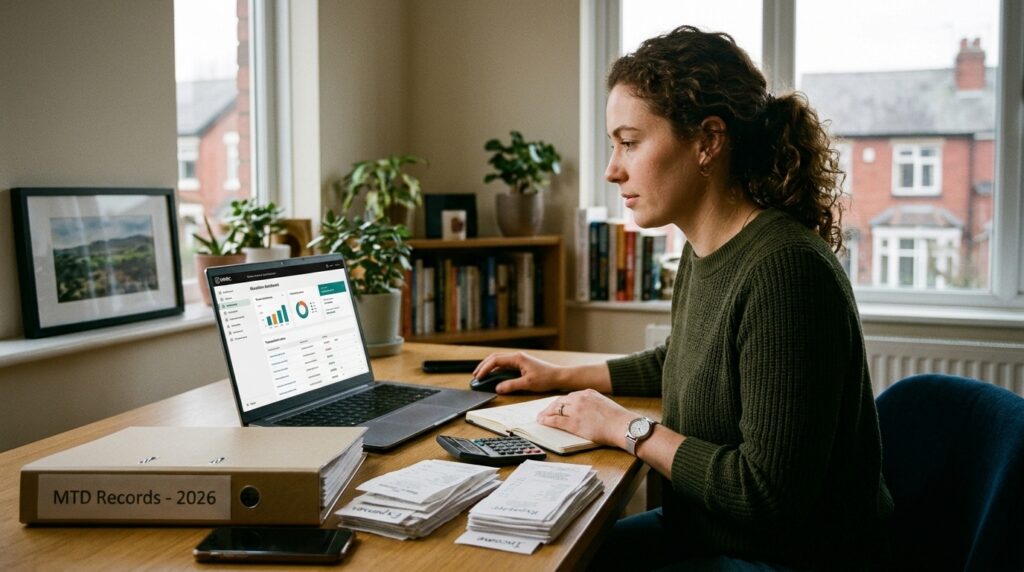
If you run your own business in the UK, there is a good chance your accounts live in one of three places: a spreadsheet, a piece of software installed on your computer, or an app in the cloud. Each can work. But the way you keep your records now matters more than it used to, thanks to digital tax rules, tighter HMRC expectations and a working culture where nobody wants to lose a Sunday evening to receipts.
So which is better: cloud or desktop? Let’s look at how they differ, what UK compliance means for your choice, and how to pick a small business accounting software UK that fits real life rather than a feature checklist.
What is the difference between cloud and desktop accounting software?
Desktop accounting software is installed on a specific computer. Your data is stored locally, you update the program manually, and you usually pay a licence fee, sometimes with extra charges for upgrades or support.
Cloud accounting software runs in your web browser or a mobile app. Your data is stored securely on remote servers, updates happen automatically, and you log in from anywhere. Most cloud tools use a monthly or annual subscription.
The distinction sounds technical, but it affects everyday questions. Can you raise an invoice from your phone while you’re on a job? Can your accountant see your figures without you emailing a file? What happens if your laptop is stolen or dies? Your answers to those questions tell you more than any price list.
The Case for Desktop Software
Desktop software still has a place, and it is worth being fair about that.
- Familiarity: If you have used the same program for years, the interface feels comfortable and your workflow is established.
- Offline access: You can work without an internet connection, which helps in areas with patchy broadband.
- Local control: Some owners like knowing their data sits on their own machine.
- Predictable costs: A one-off licence can look cheaper over a short period.
The trade-offs tend to show up later. Backups depend on you remembering to make them. Data is tied to one device, so working from home, a van or a co-working space gets awkward. Updates, including changes to tax rules and rates, may need manual installation. And sharing information with a bookkeeper often means exporting files and emailing them, which creates duplicate versions and room for error.
The Case for Cloud Software
Cloud tools have grown quickly among UK small businesses for reasons that are mostly practical.
- Access anywhere: Check cash flow, send an invoice or snap a receipt from your phone between jobs.
- Automatic updates: Tax thresholds, VAT rules and reporting formats change. Cloud platforms can roll these out without you lifting a finger.
- Bank feeds: Transactions can flow in automatically, so you spend less time typing and more time categorising or simply reviewing.
- Real-time collaboration: Your accountant, bookkeeper or business partner can see the same live figures.
- Built-in backups: Reputable providers store data across secure systems, which is typically more resilient than a single laptop in a bag.
The downsides are real too. You need a reasonable internet connection, subscriptions are an ongoing cost, and you should check where data is stored and how it is protected. That last point is not optional, so it deserves its own section.
Safety, Security and Data Protection
Whichever route you choose, you are responsible for protecting financial and customer data under UK GDPR. Ask any provider a few plain questions:
- Is data encrypted when stored and when sent?
- Is two-factor authentication available?
- Where is data hosted, and who can access it?
- How are backups handled, and how quickly can you restore?
- Can you easily export your data if you decide to leave?
Desktop software is not automatically safer. A local file on an unencrypted, unbacked-up laptop is a bigger risk than many people assume. Cloud is not automatically safer either, if you reuse weak passwords. The safest setup is the one with strong access controls, regular backups and sensible habits, whatever the technology.
Why Compliance Now Favours Digital Records
This is the biggest shift for UK businesses. Making Tax Digital (MTD) already applies to VAT-registered businesses, and HMRC is extending it to Income Tax Self Assessment. Under the current timetable, sole traders and landlords with qualifying income above £50,000 are due to join from April 2026, those above £30,000 from April 2027, and those above £20,000 from April 2028. Always check the latest guidance on GOV.UK, as thresholds and dates can change.
In practice, MTD means keeping digital records and sending updates to HMRC using compatible software rather than relying on a once-a-year scramble. That is a significant change if your records currently live in paper folders, a shoebox or a loose collection of spreadsheets.
The penalty side matters too. HMRC operates a points-based system for late submissions in some areas, and late filing or payment can bring financial penalties and interest. Small errors, such as a missed expense category, a wrongly entered VAT figure or a forgotten deadline, can add up. Good software cannot replace professional advice, but it can reduce the everyday mistakes that lead to trouble: reminders for deadlines, consistent record-keeping, and a clear audit trail.
This is where cloud tools often have an edge. Software built around digital submission and automatic rule updates is simply easier to keep aligned with a moving compliance landscape. Many desktop programs can be made MTD-compatible, but you may need bridging software or extra steps, so check before you commit.
The Lifestyle Question Nobody Puts on the Comparison Chart
Most software comparisons list features. Few mention the thing that actually drives people to change: time and stress.
Picture the typical sole trader’s week. You finish a job, drive home, cook dinner, and then open the laptop to match payments to invoices. Or you save everything up until January and lose a weekend to sorting a year’s worth of paperwork. It is not that the work is difficult. It is that it is relentless and easy to postpone, and the delay itself creates anxiety.
Automation changes that rhythm. When bank transactions arrive on their own, when receipts are captured as you go, and when tax estimates update as you earn, bookkeeping becomes a five-minute check rather than a monthly ordeal. For freelancers and gig workers juggling multiple platforms and irregular income, that predictability is valuable. Knowing roughly what you owe, and when, makes it easier to set money aside and sleep properly.
That is the real return on good accounting software: not the features, but the evenings and weekends you reclaim.
Trends Shaping UK Small Business Accounting
A few developments are worth watching when you choose software:
- Tax automation: Tools increasingly estimate liabilities, flag missing information and prepare submissions, rather than just storing numbers.
- Smarter categorisation: Machine learning helps suggest expense categories and spot unusual entries, leaving you to confirm rather than type.
- Mobile-first working: More owners run their business from a phone, and software is catching up.
- Integration: Payment platforms, marketplaces, banks and payroll tools are connecting, which cuts down on re-keying data.
- Support for the self-employed mix: Many people now combine employment, side income and gig work, and they need tools that handle more than one income stream.
So, Which Should You Choose?
There is no universal winner, but a few rules of thumb help.
Desktop may suit you if you work mostly in one place, have unreliable internet, already use a trusted program, and have a disciplined backup routine.
Cloud is usually the better fit if you work on the move, share data with an accountant, want automatic updates, need to prepare for Making Tax Digital, or simply want less admin.
For most sole traders, freelancers and gig workers in 2026, the cloud route tends to match how people actually work. If you are weighing options, run a short checklist:
- Is it compatible with Making Tax Digital for the taxes you pay?
- Does it connect to your bank and the platforms you earn through?
- Can your accountant access it easily?
- Is the pricing clear, including any add-ons?
- Does it protect your data properly?
- Does it feel simple enough that you will actually use it weekly?
That last question matters most. The best software is the one you open regularly.
Where Taxara Ltd Fits In
This is the problem Taxara Ltd set out to address. As a UK software company focused on tax automation, Taxara is built for people who want their tax and bookkeeping admin handled with less manual effort and fewer avoidable mistakes, so they can spend their time on the work they actually enjoy. If you are exploring small business accounting software in the UK, it is worth looking at tools designed around automation and digital compliance from the start, rather than traditional programs adapted to fit.
Whatever you choose, try before you commit. Use a free trial, import a few weeks of real transactions and see whether the process feels lighter. If it does, you have found a good fit.
Final Thoughts
The cloud versus desktop debate is really a question about how you want to run your business. Desktop software offers familiarity and local control. Cloud software offers flexibility, automation and easier alignment with changing UK tax rules. As digital record-keeping becomes the norm, more small businesses are finding that the cloud simply removes friction.
Start with your own routine: where you work, how you earn, and when you want to stop. Then choose the tool that gives you accurate records, fewer penalties to worry about and your evenings back.