Why Manual Operations Hold Businesses Back
Most operations teams know the pattern. An invoice sits in an inbox for three days. A forecast is built on a spreadsheet that someone updated by hand last week. A quality inspector checks the same batch of products he checked yesterday, and by the end of the shift his attention has slipped. None of these problems is dramatic on its own, but together they add delays, errors, and cost to nearly every process.
AI-powered automation addresses these gaps directly. Document processing tools read and route paperwork in minutes. Machine learning models find patterns in demand data that a human analyst would miss. Computer vision systems inspect products continuously, without getting tired. Many businesses in the UAE now work with an artificial intelligence development company in Dubai to build these systems around their own workflows rather than adopting generic software.
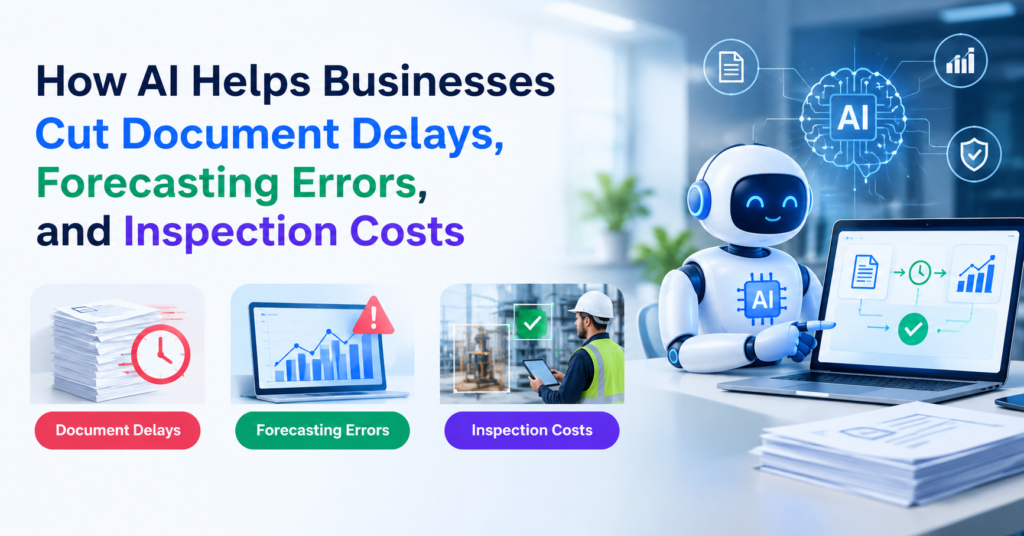
This article explains how AI helps in three areas: document processing, forecasting, and visual inspection. It also covers the benefits, the practical challenges, and how to get started.
How AI Reduces Document Processing Delays
What Makes Traditional Document Processing Slow?
Paper and PDF-heavy workflows create bottlenecks at every step. Someone has to open the file, find the relevant fields, type the data into a system, check it against a purchase order, and send it for approval. Each handoff adds time, and each manual entry adds a chance for error.
How Intelligent Document Processing Works
Intelligent document processing (IDP) combines optical character recognition with machine learning. The system reads a scanned or digital document, identifies what kind of document it is, and pulls out the fields that matter, such as invoice numbers, dates, totals, and vendor names. Once the data is extracted, it can be validated against existing records and pushed straight into an ERP or accounting system.
Automating Classification and Data Entry
Classification is often the first win. A system that sorts incoming mail into invoices, contracts, delivery notes, and customer complaints can route each item to the right team automatically. Data extraction then removes most of the typing. Staff are left to handle exceptions, such as an invoice with a missing purchase order number, rather than every document.
Where Natural Language Processing Fits In
Not all business documents follow a fixed template. Contracts, emails, and reports are written in free-form language, and that is where natural language processing (NLP) helps. NLP models can identify clauses such as payment terms or renewal dates, summarize long reports, and flag unusual language in a contract for legal review.
Businesses with heavy correspondence or contract volumes often benefit most. An NLP development company in Dubai can build models trained on the specific language of your industry, which usually performs better than off-the-shelf tools on specialized terminology.
How AI Improves Forecasting Accuracy
Why Traditional Forecasting Falls Short
Many forecasts still rely on last year’s numbers with a growth rate applied on top. That approach ignores seasonality shifts, promotions, supplier delays, and sudden changes in customer behavior. The result is either too much inventory sitting in a warehouse or too little stock on the shelf when demand spikes.
What Machine Learning Adds
Machine learning models can consider many variables at once. A demand model might combine past sales, pricing changes, weather, local events, and regional trends to produce a forecast for each product and location. Because the model updates as new data arrives, it adjusts faster than a manual process.
Using Historical and Real-Time Data Together
The strongest forecasts blend long-term history with recent signals. Historical data shows seasonal patterns, while real-time data, such as current orders, website traffic, or point-of-sale activity, shows what is happening now. When these two sources feed the same model, the forecast reacts to change without losing the context of past performance.
Benefits for Inventory and Finance
In supply chain planning, better demand forecasts reduce both stockouts and overstock. Finance teams benefit too, since cash flow projections and budget plans become more reliable when they rest on data-driven predictions rather than rough estimates.
Organizations looking to build these models often work with a machine learning company in Dubai that can connect forecasting tools to existing data warehouses and planning software.
How AI Lowers Visual Inspection Costs
The Limits of Manual Inspection
Human inspectors are skilled, but they are not consistent over long shifts. Fatigue, lighting conditions, and differences between inspectors all affect results. Manual inspection is also expensive when it has to run on every line, every shift.
How Computer Vision Works
Computer vision systems in Dubai use cameras and trained models to examine products as they move along a production line. The model learns what a good product looks like and flags anything that deviates, such as a scratch, a misaligned label, a missing component, or a color variation.
Automated Defect Detection and Real-Time Monitoring
Because the system checks every item, defects are caught earlier and more reliably. Real-time monitoring also means problems can be addressed during production instead of after a full batch has been completed. The inspection results are consistent from the first item to the last, which makes quality data easier to trust and analyze.
Where It Is Used
Computer vision is common in manufacturing, warehousing, and industrial operations. In warehouses, it can verify labels and count inventory. In industrial settings, it can monitor equipment for wear or leaks. Companies looking for commercial vision systems in the UAE typically want solutions that handle local lighting, production speeds, and environmental conditions.
Key Business Benefits of AI-Powered Automation

When these three areas come together, the benefits tend to show up in a few consistent ways:
- Faster workflows: Documents move through approvals in hours instead of days.
- Better data accuracy: Fewer manual entries mean fewer errors that spread downstream.
- Lower labor and inspection costs: Staff focus on exceptions and judgment-heavy work.
- Less waste and rework: Earlier defect detection and better forecasts reduce scrap and excess stock.
- Scalability: Automated systems handle higher volumes without a proportional increase in headcount.
- Happier customers: Faster invoicing, accurate deliveries, and consistent product quality all show up in customer feedback.
Custom AI application development in Dubai is often the deciding factor here. A generic tool may handle one task well, but a tailored solution can fit your specific document formats, product types, and existing systems.
How to Implement AI Successfully
Start With High-Impact Processes
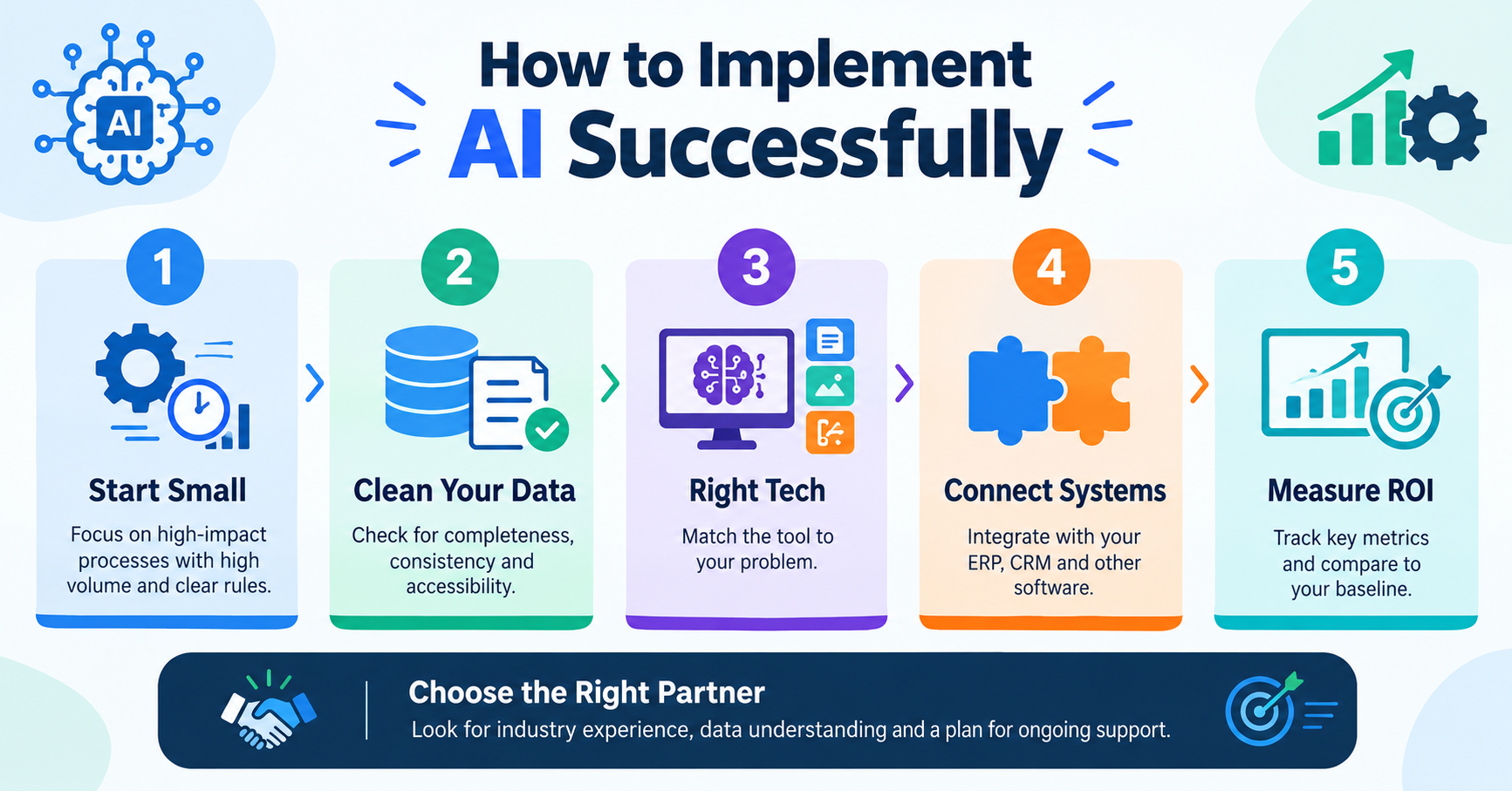
Look for the processes that cause the most delay or cost. A good starting point is a workflow with high volume, clear rules, and measurable outcomes, such as accounts payable or end-of-line inspection. Starting small makes it easier to prove value before expanding.
Check Your Data First
AI is only as good as the data behind it. Before building anything, review how complete, consistent, and accessible your data is. Documents may be scattered across email and shared drives, and sales records may use different formats across regions. Cleaning and organizing this data is often the most time-consuming part of a project.
Choose the Right Technology
Different problems call for different tools. Document extraction needs OCR and NLP, forecasting needs machine learning, and inspection needs computer vision. Matching the technology to the problem matters more than choosing the most advanced option.
Integrate With Existing Software
Automation delivers value only when it connects to the systems people already use. Plan for integration with your ERP, CRM, warehouse management, or accounting software from the beginning rather than as an afterthought.
Measure Results and ROI
Define success metrics before launch. Useful measures include processing time per document, forecast error rate, defect detection rate, and cost per inspected unit. Track them against your baseline so you can show the real return on investment.
When evaluating a development partner, look for experience in your industry, a clear understanding of your data, and a plan for ongoing monitoring. Make sure the proposed solution is tied to specific business goals rather than to the technology itself.
Challenges to Consider Before Adopting AI

AI adoption is not without risk, and it helps to plan for these challenges early:
- Data quality and availability: Incomplete or inconsistent data limits what models can learn.
- Legacy systems: Older software may need upgrades or middleware before it can connect to new tools.
- Upfront costs: Implementation requires investment in software, infrastructure, and expertise.
- Privacy and security: Documents and production data often contain sensitive information, so access controls and compliance matter.
- Change management: Staff need training and reassurance that automation supports their work rather than replacing their judgment.
- Human oversight: Models make mistakes. Regular review and clear escalation paths keep accuracy high.
The Future of AI in Business Operations
The next few years will likely bring more intelligent automation across finance, supply chain, quality control, and customer service. Forecasting systems are moving toward proactive decisions, flagging a potential shortage before it happens. Quality control is becoming a standard part of production rather than a separate checkpoint. And AI tools are increasingly connecting with enterprise systems so that insights from one department reach the others.
Conclusion
AI reduces document processing delays by reading and routing paperwork automatically. It improves forecasting accuracy by combining historical and real-time data. It lowers visual inspection costs by checking every product consistently. Together, these capabilities help businesses work faster, waste less, and make better decisions.
The best place to start is with a process where delays or errors are already costing you money. Measure the current baseline, pick a focused pilot, and expand once the results are clear.
Frequently Asked Questions
How does AI reduce document processing time?
AI reads documents using OCR and NLP, identifies the document type, extracts key fields, and routes the data to the right system. This removes most manual data entry and speeds up approvals, while staff handle only the exceptions.
Can AI improve business forecasting accuracy?
Yes. Machine learning models can analyze many variables at once, including past sales, seasonality, and current demand signals. They update as new data arrives, which usually makes them more responsive than traditional spreadsheet forecasts. Results depend on data quality and regular model review.
How does computer vision reduce visual inspection costs?
Computer vision checks every item on the line without fatigue, catches defects earlier, and reduces the need for manual re-inspection. Over time, this lowers labor costs, scrap, and rework.
Which industries benefit most from AI-powered automation?
Manufacturing, logistics and warehousing, finance, healthcare administration, and retail often see strong results because they handle high volumes of documents, products, or transactions.
What is the cost of implementing AI in business operations?
Costs vary widely depending on scope, data readiness, integration needs, and whether you build custom or use existing tools. A focused pilot is usually the most cost-effective way to estimate the full investment.
How can businesses measure the ROI of AI solutions?
Compare performance before and after implementation. Useful metrics include processing time per document, forecast error rate, defect rate, cost per inspected unit, and staff hours saved. Tie these to financial outcomes such as reduced waste or faster cash collection.