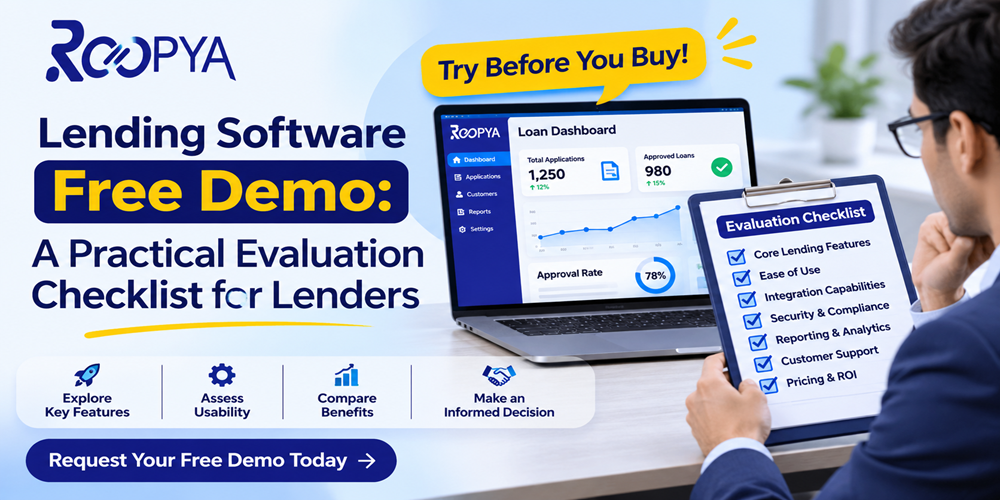
Planning a lending software free demo? Use this practical checklist to test origination, rules engine, APIs, compliance and support before you commit.
If you are about to book a lending software free demo, you are probably in one of two positions. Either you are launching a digital lending business and need a platform that can take a borrower from first click to disbursal, or you already lend and want to replace a patchwork of spreadsheets, legacy tools and manual follow-ups. In both cases, the demo is the cheapest and fastest way to learn whether a product will hold up in real operations.
The problem is that most demos are designed to impress, not to inform. A clean dashboard, a smooth borrower journey and a few charts can make almost any product look ready. The weaknesses usually appear later, during implementation, when your credit policy does not fit the rules engine, an integration takes months, or your compliance team cannot extract an audit trail.
This guide gives you a practical, step-by-step checklist for evaluating lending software during a free demo. It is written for lenders, NBFC and fintech teams, loan service providers and founders who want to ask sharper questions, test with realistic scenarios and compare vendors on equal terms. Use it as a working document: print it, share it with your team and score every vendor against it.
Why a Demo Should Be an Evaluation, Not a Presentation
A standard sales demo follows the vendor’s script. It shows the best path: a borrower with clean documents, a straightforward approval and a report that looks tidy. Real lending is messier. Applicants abandon journeys, documents arrive blurred, bureau responses time out, policies change mid-quarter and regulators ask for records you did not expect to need.
Your goal is to flip the format. Instead of watching, you want the vendor to demonstrate how the system behaves under your conditions. That means arriving with your own scenarios, asking to see the configuration screens and not only the front end, and measuring answers against a written scorecard. A good vendor welcomes this. A vendor that resists it is giving you useful information.
It also helps to decide in advance what a successful demo looks like. For most teams, success means leaving the session with clear evidence on three questions: can the platform support your credit policy, can it connect to the partners and data sources you depend on, and can your own team operate it day to day without constant vendor help.
Before You Book: Preparation That Makes the Demo Useful
The quality of what you learn is directly tied to the quality of your preparation. Spend a few hours on the following before the session.
Define your lending model and products
Write down what you actually lend or plan to lend: personal loans, business loans, short-term credit, lines of credit or a marketplace model where you route applicants to partner lenders. Software built for a single in-house lender behaves very differently from software built to connect multiple lenders and channel partners. Be clear about which you are.
List your must-have and nice-to-have requirements
Separate the capabilities you cannot operate without, such as KYC, e-signature, bureau pulls or a particular disbursal method, from those that would simply be helpful. This stops a flashy feature from outweighing a missing essential.
Prepare three to five test scenarios
Create realistic cases that stress the system. For example: a thin-file applicant who should be declined, a borderline applicant who needs manual review, an applicant who drops off halfway through the journey, a repeat borrower, and a case where a partner lender rejects the application and you need to reroute it. Ask the vendor to walk through these live.
Assemble the right people
Invite representatives from credit and risk, operations, compliance, technology and product. Each will notice different gaps. Assign each person two or three questions from the checklist below so the session stays structured.
Agree on the format
Ask whether the demo will be a recorded tour, a live guided session or a hands-on sandbox. A sandbox where your team can click through the admin side is far more revealing than a presentation. Also ask what happens to any information you share during the session.
The Evaluation Checklist: What to Test in a Lending Software Demo
The following eight areas cover most of what determines whether lending software succeeds in production. For each, we list what to ask and what a good answer looks like.
1. Loan origination and the borrower journey
The origination flow is the part your customers touch, so it directly affects conversion and drop-off. Watch the journey on a mobile screen first, since most digital borrowers apply on their phones.
- Can you configure the journey yourself, such as adding, removing or reordering steps, without writing code or raising a vendor ticket?
- Does the system save partial applications so a borrower can resume where they left off?
- How does it handle KYC, document upload, e-sign and consent capture, and what happens when a document is unreadable?
- Can you create different journeys for different products, segments or channel partners?
- What does the borrower see when something fails, and is the error message clear and actionable?
A customer journey builder is especially valuable if you run multiple products or acquire customers through several channels, because you can tailor the flow without a new development cycle. Ask the vendor to change a step live. How long it takes tells you how agile the platform really is.
2. Business rules engine and credit decisioning
Decisioning is where your credit policy turns into software, and it is where many implementations struggle. A business rules engine (BRE) should let your team define, test and update eligibility, underwriting and routing rules without engineering support.
- Can credit managers edit rules directly, and is there version control and an approval step before changes go live?
- Can you simulate a rule change against historical or sample applications before deploying it?
- Does the engine support multiple data inputs, such as bureau data, bank statements, device data and internal history?
- Can you set different rules by product, geography, channel or lender?
- Is every decision logged with the inputs and rule version that produced it?
The last point matters more than it seems. If a customer disputes a decline or a regulator asks why a loan was approved, you need to reproduce the reasoning. Ask the vendor to open a past decision and show you exactly how it was reached.
3. Lender connectivity, channel partners and APIs
If you operate a marketplace or loan service provider model, the strength of lender integrations determines your approval and disbursal ratios. Even if you lend only from your own book, you will likely connect to bureaus, payment gateways, KYC providers and accounting tools.
- How many lenders and partners are already integrated, and how are new ones added?
- Can leads be pushed to multiple lenders based on current credit criteria, and can the system reroute when one declines?
- Is there public API documentation, a sandbox and a clear versioning policy?
- What are the typical integration timelines, and who bears the cost of building custom connectors?
- How are API failures, timeouts and retries handled, and can you see them in a monitoring view?
Ask to see the integration documentation during the demo, not afterwards. Thorough, readable documentation is one of the best predictors of a smooth technical rollout.
4. Underwriting workflow, documents and disbursal
Not every loan can be auto-decided. Your underwriters need a workable queue for manual review, and the path from approval to funds in the borrower’s account must be reliable.
- Is there a clear case queue with assignment, status, notes and turnaround tracking?
- Can reviewers request additional documents or clarification without leaving the system?
- Are loan agreements generated automatically and signed digitally, with the signed copy stored against the loan record?
- How does disbursal work, and what controls prevent duplicate or incorrect payouts?
- Can you see the entire pipeline, from submission to funding or rejection, in one view?
A pipeline view that shows how many applications sit at each stage is one of the most useful screens for operations managers. If the vendor cannot show where applications are stuck, you will end up building that report yourself.
5. Loan servicing, repayments and collections
Many demos stop at disbursal, yet servicing is where lenders spend years. Ask to see what happens after the loan is funded.
- How are repayment schedules, EMIs, part-payments, foreclosures and penalties configured?
- Does the system track repayments automatically and flag overdue accounts?
- What reminder channels are supported, and can templates be customised?
- Can collection teams see a prioritised list with contact history and promises to pay?
- How are reconciliation and settlement handled with partners?
6. Analytics, reporting and data access
Dashboards look good in demos, but you should test whether they answer the questions you ask every week. Request the specific reports you rely on, such as funnel conversion, approval rate by source, disbursal by lender, portfolio quality and turnaround time.
- Can you build or modify reports yourself, and can you export raw data?
- Is there customer profiling that uses multiple data points to match applicants with suitable lenders or products?
- Are insights generated by AI explainable, or are they black-box scores you cannot defend?
- How fresh is the data, and is there a delay between an event and its appearance in reports?
Avoid vanity metrics. A report that shows total applications is far less useful than one showing where, why and how many applicants dropped off between steps.
7. Security, compliance and data protection
Lending involves sensitive financial and identity data, and regulations are strict and evolving. Your compliance and security teams should lead this part of the demo.
- Where is data stored and processed, and does that meet the data-localisation requirements that apply to you?
- What certifications and audits does the vendor hold, and can they share recent reports under NDA?
- Is there role-based access control, multi-factor authentication and a complete audit log of user actions?
- How are consent, privacy notices and data-retention rules handled?
- Does the platform support the disclosures and workflows that regulators expect in digital lending, such as key fact statements, grievance redressal details and direct fund flow between lender and borrower accounts?
If you lend in India, review the current digital lending directions issued by the Reserve Bank of India and have your compliance team map each requirement to a specific feature. Regulations change, so ask the vendor how updates are communicated and how quickly product changes follow. Treat this checklist as a starting point, not legal advice.
8. Implementation, support and total cost
The best software is worthless if it takes a year to go live or if nobody answers when it breaks. Ask direct questions about everything that surrounds the product.
- What does a typical implementation look like, including timeline, team involvement and milestones?
- Who will be your point of contact, and what are the support hours and escalation paths?
- What are the service-level commitments for uptime and issue resolution?
- How is pricing structured, whether per loan, per user, per API call or a platform fee, and what extra charges commonly appear?
- What happens if you leave, and can you export your data in a usable format?
Always request pricing in writing and ask for two or three customer references with a lending model similar to yours. A reference call often reveals more than the whole demo.
A Simple Scorecard to Compare Vendors
After each demo, have every attendee score the vendor from one to five on each area. Weight the areas according to what matters most to your business, then add the totals. The table below is a starting point; adjust the weights to suit your model.
| Evaluation area | Suggested weight | What a strong score looks like |
| Origination and borrower journey | 15% | Self-serve journey changes, strong mobile experience, low drop-off tools |
| Rules engine and decisioning | 20% | Editable rules, simulation, versioning, full decision logs |
| Integrations and APIs | 15% | Clear documentation, sandbox, proven lender and bureau connectors |
| Underwriting, documents and disbursal | 10% | Efficient review queues, e-sign, controlled payouts |
| Servicing and collections | 10% | Automated schedules, reminders and prioritised collection lists |
| Analytics and reporting | 10% | Custom reports, raw data export, explainable insights |
| Security and compliance | 15% | Audit trails, access controls, regulatory workflows, data residency |
| Implementation, support and cost | 5% | Clear timeline, SLAs, transparent pricing, references |
Score immediately after the session, while impressions are fresh, and ask attendees to write one sentence justifying any score of one or five. That discipline reduces the pull of a charismatic presenter.
Red Flags to Watch for During the Demo
Some warning signs show up repeatedly in poor vendor selections. Be cautious if you notice any of these.
- The vendor will not run your scenarios or insists on showing only a pre-built path.
- You only see the front end and never the admin, configuration or rules screens.
- Answers to security, audit and data-storage questions are vague or deferred indefinitely.
- Every customisation request is described as a custom development project.
- There is no integration documentation or sandbox, and timelines are given as guesses.
- Pricing is unclear, and the vendor avoids committing to it in writing.
- The vendor cannot provide references from lenders similar to you.
One red flag does not automatically disqualify a vendor, but several together should make you pause and probe further.
What to Do After the Demo
The work does not end when the screen share does. Within a week, complete the following steps.
- Consolidate scorecards and discuss differences in opinion openly.
- Send the vendor a written list of unanswered questions and a deadline for replies.
- Request a sandbox or proof-of-concept for your top one or two choices, using your own scenarios and anonymised data.
- Hold reference calls and review security and compliance documentation.
- Compare total cost of ownership across at least a three-year horizon, including implementation, support and integration fees.
Only after a hands-on trial and written commitments should you move to contract. A short proof-of-concept costs far less than a failed implementation.
How Roopya Approaches Lending Infrastructure
Roopya provides a lending infrastructure and analytics-as-a-service platform for businesses that want to start or scale digital lending. According to the information on the Roopya website, the platform includes a customer journey builder, a business rules engine for origination, underwriting and servicing, API-based connectivity with multiple lenders, customer profiling that uses multiple data points to match borrowers with suitable lenders, AI-driven reporting, and a lending pipeline that tracks a loan from application to funding and servicing.
If you are evaluating Roopya, treat it like any other vendor: bring your scenarios, ask to see the configuration screens, and score it against the checklist above. Visit roopya.money to learn more about the platform and to request a walkthrough tailored to your lending model.
Conclusion
A lending software free demo is a valuable opportunity, but only if you control how it is used. Prepare your lending model and scenarios, bring the right people, test each of the eight areas in this checklist, score vendors consistently and verify claims with a sandbox, references and written commitments.
The aim is not to find software with the most features. It is to find the platform that fits your credit policy, your customers, your regulators and your team, and that will keep working as your portfolio grows. A disciplined demo process makes that choice much easier to defend.
Frequently Asked Questions
Is a free lending software demo really free, and what is the catch?
Most vendors offer a free demo or sandbox walkthrough as part of their sales process. There is usually no charge, but you should confirm whether the demo is a recorded video, a live guided session or a hands-on sandbox, and whether any data you share is retained. The real cost of a demo is your team’s time, which is why preparing scenarios in advance matters.
How long should a lending software demo take?
A focused evaluation typically needs 60 to 90 minutes for the first session, plus a second technical session for integrations, security and reporting. If a vendor can only show a 20-minute scripted tour, ask for a longer working session using your own loan scenarios.
Who from my team should attend the demo?
Include someone from credit and risk, operations or collections, compliance, technology and product. Each group tests different things: risk checks the rules engine, operations checks daily workflow, compliance checks audit trails and disclosures, and technology checks APIs and security.
What is the difference between a loan origination system and a lending-as-a-service platform?
A loan origination system (LOS) mainly manages the application journey from submission to approval and disbursal. A lending-as-a-service (LaaS) platform typically bundles origination with lender connectivity, decisioning, analytics and servicing so that a business can launch or scale digital lending without building every component itself.
Should I test the software with real customer data?
Use anonymised or synthetic data in a demo or sandbox unless a signed data-processing agreement is in place. Real borrower data should only be shared after security and compliance review.
What are the biggest red flags during a lending software demo?
Common red flags include refusing to use your scenarios, hiding the admin or configuration screens, vague answers about audit trails and data storage, no clear integration documentation, and pricing that cannot be explained in writing.
How do I compare two or more lending software vendors fairly?
Give every vendor the same scenario script and score each one against the same weighted criteria, such as journey flexibility, decisioning control, integrations, compliance, reporting, support and total cost. A simple scorecard removes much of the bias that comes from polished presentations.
How does Roopya fit into a lending software evaluation?
Roopya offers a lending infrastructure and analytics-as-a-service platform with a customer journey builder, a business rules engine, lender connectivity through APIs and reporting. You can use the checklist in this article to test Roopya, or any other platform, against your own requirements.