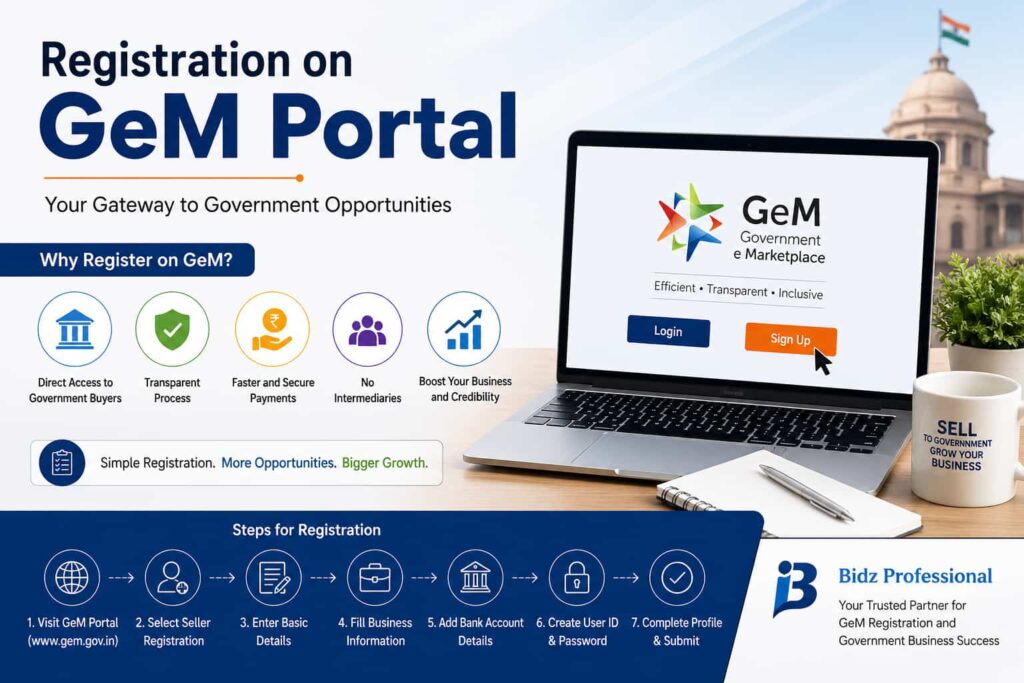
For businesses aiming to work with government buyers in India, the Government e-Marketplace (GeM) offers a structured and reliable platform. However, success on this platform begins with a correct and complete registration on GeM portal. Many sellers rush through this step and later face delays or account issues. A careful approach can help you avoid such problems.
Why Registration on GeM Portal Matters
GeM is designed to make public procurement more transparent and efficient. Once registered, sellers can:
- Offer products and services directly to government departments
- Participate in bids and tenders
- Receive payments through a secure system
But access to these benefits depends entirely on how accurately your registration is completed.
Basic Eligibility for Sellers
Before starting the registration on GeM portal, ensure your business meets basic requirements:
- You must have a valid business structure (proprietorship, firm, company, etc.)
- PAN and Aadhaar details should be valid and linked
- GST registration may be required depending on your business type
- Your bank account should be active and in the business name
If any of these details are incomplete or incorrect, the registration process may not move forward.
Important Information You Need to Provide
The registration process is simple, but it requires correct inputs. You will need to provide:
- Personal verification through Aadhaar OTP
- Business details including legal name and type
- Tax-related information such as GST (if applicable)
- Bank account details for transactions
- Contact details like email and mobile number
Consistency across all documents is critical. Even small mismatches can lead to delays.
Step-by-Step Overview of the Process
The registration on GeM portal typically involves:
1. Signing Up
Create your account using Aadhaar-based verification.
2. Entering Business Details
Fill in accurate information about your organization.
3. Bank Account Linking
Add your bank details for receiving payments.
4. Creating Login Credentials
Set your username and password for future access.
5. Final Review and Submission
Double-check all details before submitting the form.
After submission, verification is completed, and your account is activated.
Mistakes That Can Slow Down Your Registration
Many sellers face issues because of avoidable errors. Some common ones include:
- Incorrect spelling of business name
- Mismatch between PAN and Aadhaar details
- Using outdated or inactive contact information
- Skipping important sections in the form
Taking a few extra minutes to review your information can save a lot of time later.
What to Do After Registration
Getting registered is only the first step. To make the most of GeM, you should:
- Complete your seller profile properly
- Add clear and accurate product or service listings
- Follow pricing and compliance guidelines
- Stay active and respond to buyer requirements
Consistency and professionalism help in building trust on the platform.
Getting Help When Needed
While the process is manageable, some businesses prefer expert assistance to ensure everything is done correctly. Bidz Professional supports sellers with proper documentation and smooth onboarding, helping reduce the chances of errors during registration.
Conclusion
The registration on GeM portal is a key step for any business looking to enter government procurement. It is not complicated, but it does require attention to detail and accurate information.
If you complete the process carefully and follow platform guidelines, GeM can become a valuable channel for steady and long-term business growth.