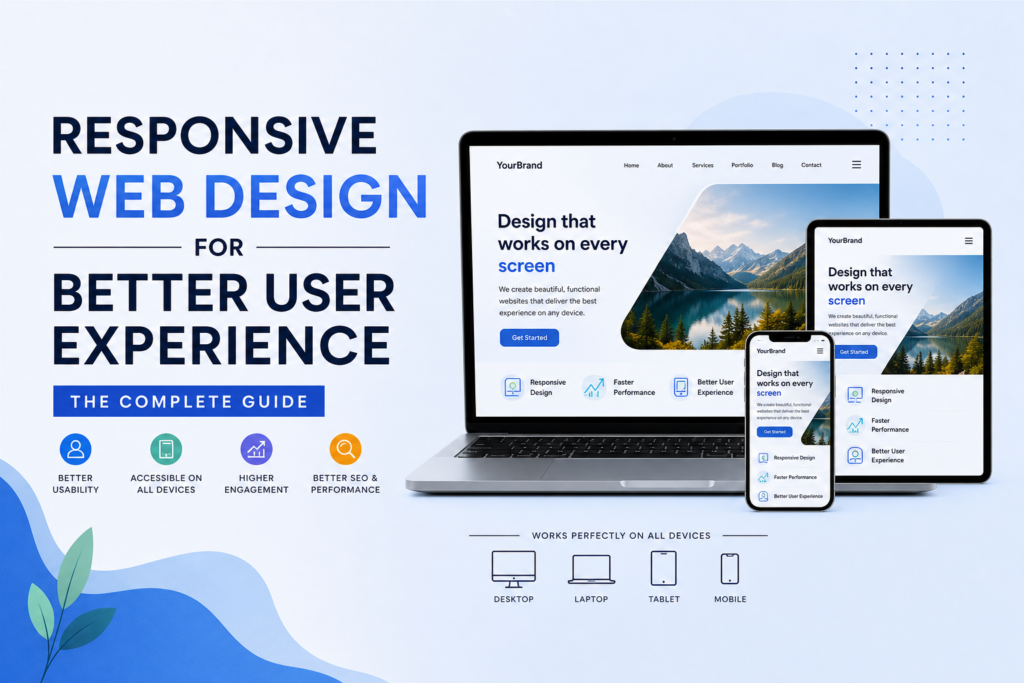
Have you ever landed on a website from your phone, only to find yourself pinching, zooming, and squinting like you’re trying to read a billboard from across the highway? Frustrating, right? You probably bounced within seconds. That tiny moment of irritation is exactly why responsive web design matters more today than ever before. In a world where over 60% of global web traffic flows through mobile devices, building a site that adapts seamlessly to every screen isn’t a luxury — it’s survival. Let’s dive deep into what responsive web design really means, why it’s the backbone of a stellar user experience, and how it ties into the bigger picture of web development, SEO, digital marketing, and long-term website maintenance.
What Is Responsive Web Design and Why Should You Care?
Responsive web design is an approach where your website’s layout, images, and content automatically adjust to fit the screen size of whatever device a visitor is using. Think of it like water pouring into different containers — it takes the shape of whatever holds it. Whether someone opens your site on a 27-inch desktop monitor, a tablet propped on a kitchen counter, or a smartphone crammed into a jacket pocket, the experience should feel intentional, clean, and effortless.
The Mobile-First Reality We Live In
Here’s a stat that might make you sit up straight: Google now indexes the mobile version of your website first. That means if your mobile site is clunky, slow, or downright broken, Google treats that as your “real” site — even if your desktop version looks like a masterpiece. The shift happened gradually, but the consequences are immediate. Users expect speed. They expect elegance. And if you don’t deliver? They’ll find a competitor who will, faster than you can say “404 error.”
How Responsive Web Design Actually Works
At its core, responsive web design relies on three technical pillars that work together like instruments in an orchestra. Remove one, and the whole symphony falls apart.
Fluid Grids, Flexible Images, and Media Queries
Fluid grids replace fixed pixel widths with proportional percentages, so your layout stretches and contracts like a rubber band. Flexible images scale within their containers, preventing that dreaded horizontal scroll bar on mobile screens. And media queries? They’re the brain behind the operation — CSS rules that detect a device’s screen width and serve up the appropriate layout. Together, these three technologies ensure your web design looks polished whether it’s displayed on a smartwatch or a cinema display.
The Impact of Web Design on User Experience
User experience (UX) isn’t just some buzzword that designers throw around at conferences. It’s the entire emotional and functional journey a visitor takes from the moment your page loads to the moment they click “Buy,” “Subscribe,” or — unfortunately — the back button. Good web design removes friction. Bad web design creates it. It’s that simple.
Speed, Layout, and Navigation: The Holy Trinity
Imagine walking into a retail store where the lights flicker, the aisles are a maze, and the checkout counter is hidden behind a stack of boxes. You’d leave, right? Your website works the same way. Page load speed is your lighting — if it’s too slow, people won’t wait around. Layout is your floor plan — it should guide the eye naturally toward your call-to-action. And navigation? That’s your signage. If visitors can’t find what they need in two or three clicks, you’ve lost them. Investing in professional web design in Calgary can help you nail all three of these elements from day one.
Bounce Rates and What They Tell You
A high bounce rate is your website’s way of crying for help. It tells you that visitors arrived, took one look, and decided your site wasn’t worth their time. While bounce rates can vary by industry, anything above 70% for a standard content page should raise red flags. Often, the culprit is a non-responsive layout that looks terrible on mobile.
Reading the Signals Your Visitors Send
Tools like Google Analytics and Hotjar let you watch how real users interact with your pages. Are they rage-clicking on a button that doesn’t work on mobile? Are they scrolling past your hero section without pausing? These behavioral signals are gold. They tell you exactly where your web design is failing and where a responsive overhaul could transform engagement overnight.
Responsive Web Design vs. Traditional Web Development Approaches
Not too long ago, companies built separate mobile sites — remember those “m.dot” URLs? That approach was a nightmare to maintain, a disaster for SEO, and confusing for users. Today, responsive web design has largely replaced that outdated model, but the distinction between web design and web development still trips people up.
| Feature | Responsive Design | Separate Mobile Site |
|---|---|---|
| URL Structure | Single URL | Dual URLs (m.example.com) |
| Maintenance Effort | Low | High |
| SEO Performance | Strong | Fragmented |
| User Consistency | Seamless | Inconsistent |
| Development Cost | Moderate upfront | High long-term |
Why Web Design and Development Must Go Hand in Hand
Here’s the thing: a gorgeous mockup means nothing if the code behind it is a tangled mess. Web design and development are two sides of the same coin. The designer envisions the experience; the developer brings it to life with clean, semantic HTML, efficient CSS, and lightweight JavaScript. When these two disciplines collaborate from the start — rather than working in silos — the result is a responsive site that’s fast, accessible, and beautiful. That synergy is what separates a forgettable website from one that converts visitors into loyal customers.
Key Elements of a Responsive Website That Drives Results
So, what does a truly responsive website look like under the hood? Let’s break down the non-negotiable elements.
Mobile Optimization and Touch-Friendly Interfaces
Fingers are fatter than mouse cursors. That’s a design reality you can’t ignore. Buttons need adequate padding, links need breathing room, and forms need to be thumb-friendly. If a user has to zoom in to tap a “Contact Us” button, you’ve already failed the usability test. Mobile optimization also means prioritizing content hierarchy — show the most critical information first and tuck secondary details behind expandable menus or accordions.
Cross-Browser Compatibility
Your site might look stunning in Chrome on a MacBook, but how does it render in Safari on an iPhone 12? What about Firefox on a Windows tablet? Cross-browser compatibility ensures your responsive web design holds up across the chaotic landscape of browsers, operating systems, and device generations.
Testing Across Devices and Screen Sizes
Emulators and browser testing tools like BrowserStack or LambdaTest let you preview your site on dozens of device configurations without owning a closet full of gadgets. Make testing a regular part of your web development workflow, not an afterthought you squeeze in before launch.
How Responsive Web Design Boosts SEO and Digital Marketing
If you think web design and SEO live in separate universes, think again. They’re deeply intertwined, and responsive design is the thread that stitches them together.
Responsive Web Design and Its SEO & Digital Marketing Benefits
| Benefit | Impact on SEO | Impact on Digital Marketing |
|---|---|---|
| Faster Page Load Times | Improves Core Web Vitals scores | Reduces ad spend waste from bounces |
| Single URL Structure | Consolidates link equity | Simplifies campaign tracking |
| Lower Bounce Rates | Signals quality to search engines | Increases conversion rates |
| Better Mobile Usability | Satisfies mobile-first indexing | Expands reachable audience |
| Consistent Branding | Builds domain authority over time | Strengthens brand recall across channels |
Google’s Mobile-First Indexing Explained
Since 2019, Google has predominantly used the mobile version of content for indexing and ranking. If your responsive web design serves stripped-down content on mobile compared to desktop, Google may rank you lower — even for desktop searches. The takeaway? Your mobile site isn’t a secondary experience anymore. It is the experience. Partnering with experts in SEO in Calgary ensures your responsive design aligns perfectly with Google’s ever-evolving guidelines.
The Connection Between UX and Search Rankings
Google’s algorithm has grown remarkably sophisticated. It doesn’t just crawl your keywords; it measures how real humans interact with your pages. Dwell time, click-through rates, and pogo-sticking (when users bounce back to search results quickly) all influence rankings. A responsive, user-friendly site keeps visitors engaged longer, which sends positive signals straight to Google’s ranking brain.
Core Web Vitals and Responsive Design
Core Web Vitals — Largest Contentful Paint (LCP), First Input Delay (FID), and Cumulative Layout Shift (CLS) — are Google’s official metrics for page experience. Responsive web design directly impacts all three. Optimized images improve LCP. Efficient code reduces FID. And a stable, fluid layout minimizes CLS. Nail these metrics, and you’ll see a measurable lift in organic traffic.
Website Maintenance: Keeping Your Responsive Design Sharp
Launching a responsive website isn’t the finish line — it’s the starting gun. Technology evolves, browsers update, and user expectations shift. Without ongoing website maintenance, even the most beautifully crafted responsive site will degrade over time.
Regular Updates and Performance Audits
Schedule quarterly audits to check for broken links, outdated plugins, slow-loading assets, and responsive breakpoints that may have shifted after a browser update. Think of website maintenance like changing the oil in your car — skip it long enough, and the engine seizes. A reliable website maintenance plan in Calgary keeps your site running smoothly so you can focus on growing your business instead of firefighting technical glitches.
When to Consider a Full Redesign
Sometimes, incremental tweaks aren’t enough. If your site is more than three to five years old, built on outdated frameworks, or simply no longer reflects your brand, a full responsive redesign may be the smartest investment you make all year. A comprehensive digital marketing strategy in Calgary often begins with a website overhaul because every campaign — from paid ads to email newsletters — ultimately funnels traffic back to your site.
Final Thoughts: Your Website Is Your Digital Storefront
At the end of the day, your website is the first impression you make on potential customers — and in the digital age, first impressions happen in milliseconds. Responsive web design isn’t just about making things “look nice on phones.” It’s about creating a cohesive, fast, and intuitive experience that respects your visitors’ time and attention. When you combine thoughtful web design and development with smart SEO, strategic digital marketing, and consistent website maintenance, you build a digital presence that doesn’t just attract traffic — it converts it. So, whether you’re launching a brand-new site or breathing life into an old one, make responsiveness your north star. Your users will thank you, and so will your bottom line. Ready to get started? The team at Clear Solutions IT can help you build a responsive, results-driven website that stands out in today’s crowded digital landscape.
Frequently Asked Questions (FAQs)
1. What exactly is responsive web design?
Responsive web design is a development approach where your website’s layout, images, and typography automatically adapt to the screen size and orientation of the device being used. Instead of building separate sites for desktop and mobile, a single responsive site serves all users with an optimized experience, whether they’re on a smartphone, tablet, laptop, or desktop monitor.
2. How does responsive web design improve my SEO rankings?
Google uses mobile-first indexing, meaning it primarily evaluates the mobile version of your site when determining search rankings. A responsive web design ensures your mobile site delivers the same high-quality content and fast performance as your desktop version. This consolidates link equity under a single URL, reduces bounce rates, and improves Core Web Vitals — all of which are direct ranking factors.
3. Is responsive web design the same as mobile-friendly design?
Not quite. “Mobile-friendly” is a broader term that simply means your site is usable on a phone — even if it’s a scaled-down version of the desktop layout. Responsive web design goes further by dynamically restructuring the entire layout based on screen size, ensuring an optimal experience across all devices, not just mobile phones.
4. How often should I update my responsive website?
Ideally, you should perform minor updates and performance checks every one to three months as part of a regular website maintenance routine. A more comprehensive audit — covering web design trends, security patches, and SEO health — should happen at least once a year. If your site is over five years old, a full redesign may be worth considering.
5. Can I make my existing website responsive without rebuilding it from scratch?
In many cases, yes. A skilled web development team can retrofit an existing site with responsive CSS frameworks, fluid grids, and media queries. However, if your site’s underlying code is severely outdated or built on an inflexible platform, a complete rebuild may ultimately be more cost-effective and deliver far better results in terms of speed, SEO, and user experience.