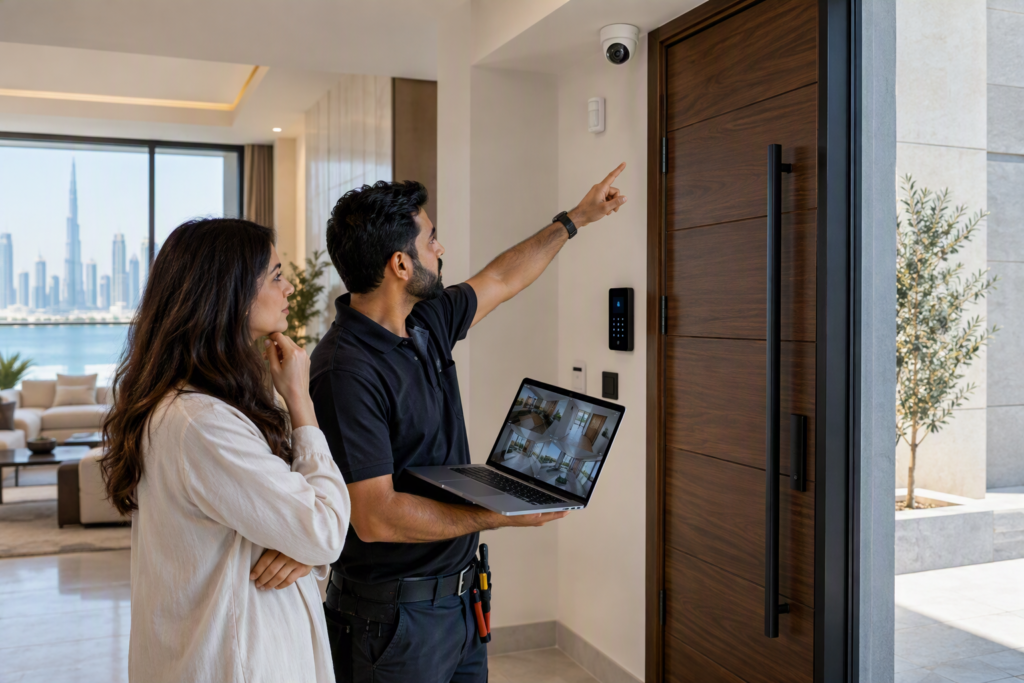
A Home automation installation connects different devices in a home so they can work together and be controlled more easily. Instead of operating every device separately, homeowners can manage lighting, climate, security, entertainment, and other systems from switches, mobile devices, touch panels, or voice controls. A complete installation should include the right equipment, proper wiring or wireless connections, system setup, testing, and user instructions.
Planning the Home Automation System
The first part of an installation is planning. Before any equipment is installed, the home and its daily needs should be considered. Different rooms may need different types of automation.
For example, a living room may need lighting and entertainment controls, while a bedroom may focus on lighting, curtains, and temperature. Outdoor areas may require lighting and security controls.
Planning also helps decide whether the system should use wired connections, wireless connections, or a combination of both. The choice can depend on the building structure, existing wiring, room layout, and devices being used.
Smart Lighting Controls
Lighting is one of the most common parts of a home automation system. Installation may include smart switches, dimmers, sensors, and connected light fixtures.
A lighting system can allow users to control several lights from one location. Different lighting settings can also be created for activities such as watching television, reading, dining, or sleeping.
Motion and occupancy sensors may also be included in some rooms. These sensors can turn lights on or off based on movement or room use.
Climate Control
Temperature control can also be connected to a home automation system. This may include thermostats, air-conditioning controls, temperature sensors, and related devices.
A connected climate system allows users to adjust temperature settings from a central control point or mobile device. Some systems can also use schedules, allowing temperatures to change at different times of the day.
When adding climate control, it is important to check whether the existing air-conditioning system is compatible with the automation equipment.
Home Security Devices
Security can include several connected devices. Depending on the home’s needs, an installation may include smart locks, door sensors, window sensors, motion sensors, cameras, and video doorbells.
These devices can work separately or be connected through a central system. For example, a door sensor can trigger a notification, while cameras can provide visual information about activity around the property.
Security equipment should be installed in suitable locations so sensors and cameras can work properly without unnecessary blind spots.
Entertainment and Audio Systems
Home automation can also connect entertainment equipment. A system may include televisions, speakers, projectors, receivers, and media devices.
For example, a homeowner may be able to control music in different rooms from a single interface. A home cinema can also connect lighting, curtains, audio, video, and other equipment so they can be operated together.
The installation should consider speaker placement, cable routing, network connections, and the size and layout of each room.
Curtains and Shading
Motorized curtains and blinds can be another part of an automated home. These systems use motors and controls to open or close window coverings.
They can be operated manually through a switch or connected to schedules and other automation settings. For example, curtains can be programmed to open at a selected time or close when a room is being used for a movie.
The type of window covering and available power connection should be checked before installation.
Central Control and Connectivity
A complete automation system needs a way for different devices to communicate. This may involve a central controller, hub, network equipment, touch panel, mobile application, or another control method.
The communication method depends on the devices and system design. Some equipment may use Wi-Fi, while other devices may use wired connections or dedicated communication protocols.
A stable network is important for systems that depend on internet or local network connections. The installation should therefore consider network coverage and equipment placement.
Wiring and Installation Work
Physical installation is an important part of the process. This can include running cables, installing switches, mounting equipment, connecting controllers, and setting up network devices.
For a new property, automation wiring can sometimes be planned during construction. In an existing home, wireless devices may reduce the need for new wiring in certain areas.
Cable management should also be considered. Properly routed cables can make maintenance easier and help keep rooms neat.
Programming and Testing
After the equipment is installed, the system needs to be configured. This can include setting up rooms, devices, schedules, scenes, user controls, and connections between different systems.
Testing should be done before the system is handed over. Each device should be checked individually and as part of the complete system.
Users should also receive basic instructions on how to control the system, change settings, and handle simple problems. Clear instructions can make the system easier to use on a daily basis.
When these parts are planned together, a Home automation installation can provide a connected system that is easier to control and manage across different areas of a home.