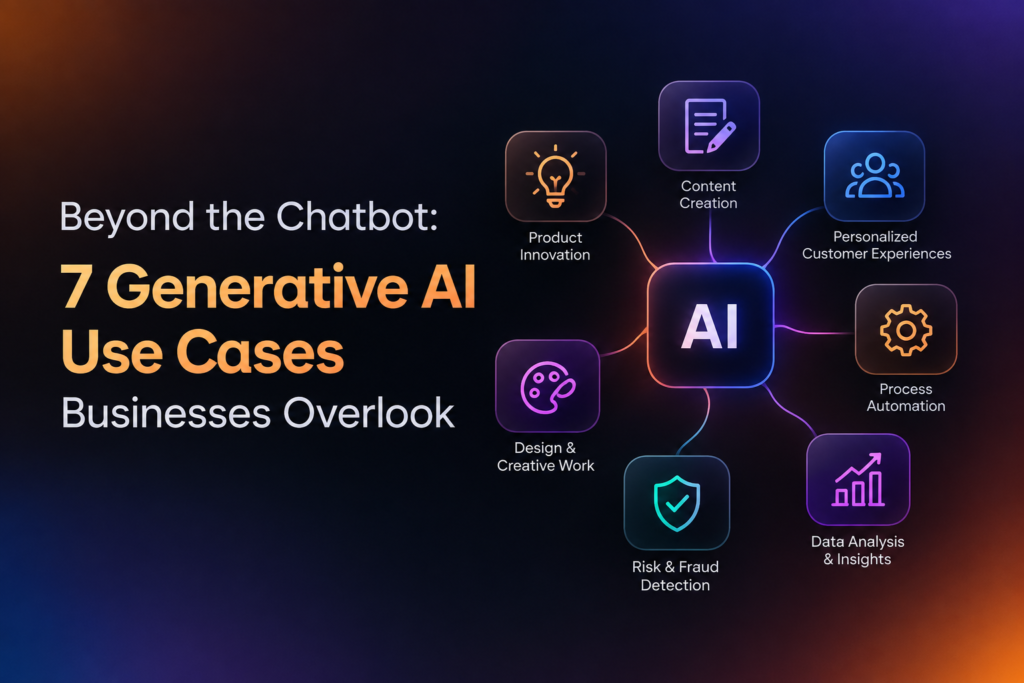
Ask any other chief of a firm what position there is for generative AI at their corporation, and they are going to consider immediately a chatbot on their website. It’s the clear reply, and the place of many of those pilots. It is also the place many of these are ceasing.
That’s a problem, and the stats reveal it. McKinsey’s 2025 State of AI survey found 88% of organizations are using AI in one or more functions of their businesses. However, close to two-thirds say they are still in experimentation or pilot phase, and only about 33% use the technology across one or more functions. Many teams are using the tech. However, far fewer are deriving significant value.
Another portion of this “shortage” comes from too tight a focus. The most prolific ROI is in messy, behind-the-scenes tasks – researching, writing, proofreading, decoding legacy code. Here are seven use cases that are often missed, and what to look out for before purchasing Generative AI Development Services or developing the needed Generative AI Management capabilities yourself.
1. Internal knowledge search
A company has answers, or most of them, on wikis and shared drives, in PDFs and in those lengthy old Slack threads. A new team member asks how to process a refund exception, and it takes someone forty minutes to find the policy.
Retrieval-augmented generation (RAG) approaches enable a model to answer questions with your own documents and reference the source it used. Employees pose questions in natural language and receive an answer with a link, rather than a bunch of files to open up.
It’s easy to ignore it because it’s inside and no one outside the organization will ever see it. But it touches every team. The downside is document quality: if your policies are stale, the answers will be stale. Pick one department whose docs are relatively clean, and go from there.
2. Agent assist for customer support
Everyone considers the chatbot that interacts with your customer. Not so many consider the coworker-of-the-human-agent that doubles your agent’s brain – advising replies, navigating to the right help file, and glossing a long ticket history before you reply.
The case for doing this is stronger than for most. A famous study of 5,179 customer-support agents demonstrated that giving them access to a generative AI assistant increased their productivity by 14% on average, including a 34% lift for entry-level and low-skill workers and negligible change for more experienced agents. In practice, it seems to work best as an accelerator of how your best performers work.
And a safety net. The model isn’t shown to the customer so there’s a human in the loop to clean up errors before they ever get to the customer.
3. Proposals, RFPs and sales documents
Sales and pre-sales teams hear the same questions all the time: What’s your security stance? How can you integrate? What worked for an earlier customer? What does it cost? And each time, they rephrase the reply from scratch, or search for an obsolete document that still had the client’s name on page six.
Using a model based on your past proposals and product documentation, an RFP response can be produced in minutes. Humans then edit it. The work becomes review, not drafting; it’s faster and is generally more consistent.
Be realistic from the outset – the draft is only as good as the backup material, and anytime you deal with price, commitment or compliance claims it has to be human-verified.
4. Legacy code documentation and migration
Usually when people talk about AI and software, they mean autocomplete. The real opportunity is often in the code people avoid editing.
A lot of organisations run vital systems, often very old, programmed in archaic languages, with scant documentation, and no one left who understands the code. Model-based tools can show you what a piece of undocumented code is doing, generate tests and even do some translating for you, to a more modern stack. For all sorts of more general programming work, a GitHub Copilot trial found that developers turned their work 56 percent faster. Migration work is not generally producing new code from scratch, so don’t expect the same figure, but the overall trend is promising.
Enforce this rule stubbornly: auto-generated code is reviewed and tested the same as non-auto-generated code. Don’t treat the model as a miniature senior engineer.
5. Synthetic and test data
When developing software or training a machine learning model, developers don’t have access to real customer data. Privacy regulations, legal agreements, and simple fear means they settle for a few intentionally engineered sample records that have little resemblance to production.
Synthetic records can be fabricated that never existed: customer records, transactions, notes, tickets. But they can also be used to simulate obscure edge cases like an unusual pattern of fraud you’d normally have to wait months to encounter in real data.
It’s important to be aware of this limitation. Since synthetic data learns from the data it was trained on, there’s always the possibility that it will inherit the same bias or blind spots. Always validate against real-world results before using a model that was trained predominantly on synthetic data.
6. Contract and document extraction
Invoices, insurance claims, supplier agreements, filing compliance. Companies get tons of these, and someone will read through each one extracting just a handful of fields.
These are classic generative capabilities. The models can pull out dates, amounts, renewal periods and conditions, highlight deviations from your norm, and generate a brief digest for a human to make a decision. Your legal and finance teams can then use the result for triage, figuring out which documents require their expertise and which can pass on.
This is not the lawyer or accountant substitute. Keep a human sign-off for anything with a legal or financial tone. But if you move the first reading from a person to a model, it can clear an honest backlog.
7. Plain-language reporting
Check out what your analysts do each Monday. In a lot of organizations, someone opens a dashboard, and then pastes the numbers in an email with a sentence or two explaining: revenue grew 4%. It was mostly from this region, but other categories saw increased returns.
A model based on the data behind your reporting can write that narrative for you, point out the anomalies, and follow up to answer questions such as “why did this fall in March?” Those who formerly built the report will have more time to focus on the action.
One design point to keep in mind: Don’t have the model look up figures by using a good prompt, have it explain the figures or perform a calculation. Language models are very good at explaining a figure, not great at doing the math from memory.
What separates a pilot from a result
Compare these seven, if you will. Here’s the pattern. Small and focused projects with associated measurements work.
- Choose 1 workflow that has a baseline. Without knowing how long a proposal takes today, you won’t be able to measure if you are improving upon that.
- Keep a human in the loop when it matters. Automate the first draft, the first read, the first summary. Keep humans in the loop where it counts.
- Finalize data access sooner Rather than having to wait for a client to make the data work, start identifying that data at the start. Often, the bottleneck for models is not the model itself.
- Planning for maintenance. As documents change, policies evolve and models get updated. An unmaintained tool gradually degrades.
There’s a lot to gain. McKinsey’s pre-pandemic review concluded that generative AI could contribute between $2.6 trillion and $4.4 trillion in annual economic value on 63 different use cases. Much of that potential sits in places like customer operations, marketing and sales, and software engineering – not just a chat window on a homepage.
Choosing the right partner
Getting the right provider isn’t just as important as selecting the right use case if you lack the talent in-house. Whatever agency you’re working with, DianApps or someone else; ask the same simple questions: How do they plan to ensure your data and privacy needs are met? How do they plan to evaluate accuracy pre- and post-launch? Who will maintain the system after it goes live?
A provider of Generative AI Development Services should be able to confidently answer these questions, and should be happy to start small with a pilot rather than scale too quickly with a big project.
The bottom line
The chatbot is a good low-hanging fruit, but it’s just one use case, and one of least value. Knowledge search, agent assist, proposals, legacy code, synthetic data, document extraction and reporting all have a commonality: they speed up un-automated work that your team already does. Focus on the pain point, pick a small use case, test it, measure it fairly, and iterate. We’ve seen organisations that use the Generative AI Development Services to improve a specific workflow get results faster than those attempting to transform the entire business on launch day.