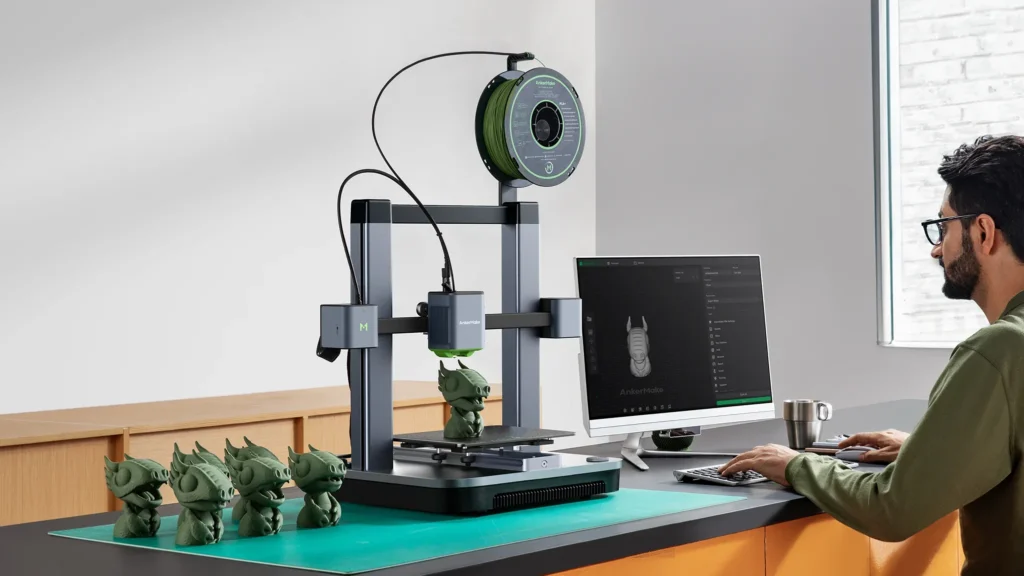
3D printing has moved far beyond being a niche hobby for engineers and technology enthusiasts. Today, a 3D printer can help you create prototypes, replacement parts, miniatures, cosplay accessories, educational models, personalised gifts, and functional household items from the comfort of your home. But with so many models, materials, features, and technologies available, choosing the right machine can feel overwhelming. The best 3D printer isn’t necessarily the most expensive one, it is the one that matches what you actually want to create.
Before comparing individual models, it is worth understanding what a modern 3D printer can offer. Anycubic is a 3D-printing brand with both FDM/filament printers and resin printers, alongside filaments, resins, wash-and-cure machines, accessories, and printer bundles. Its current Canadian range includes the Kobra series for filament printing and Photon models for resin printing.
If you’re planning to buy a printer and want to keep your budget under control, checking available Anycubic coupons before ordering can be a useful final step. However, the discount should come after you’ve determined which printer technology, build size, materials, and features actually suit your projects.
Start With What You Want to Print
The smartest way to choose a 3D printer is to start with the finished object not the printer.
Ask yourself what you expect to make most often. Are you interested in functional components, household organisers, engineering prototypes, toys, cosplay pieces, miniatures, jewellery, or decorative models?
For larger practical objects, FDM 3D printers are usually a natural starting point because they work with filament and are available in a wide range of build sizes. Resin printers, on the other hand, are particularly useful when fine detail and smooth surfaces are more important than large print volume. Anycubic describes its Kobra line as FDM printers suited to functional parts, household items, cosplay props, and beginners, while its Photon line targets detailed models, miniatures, jewellery, and display pieces.
Understand FDM vs. Resin 3D Printing
This is probably the biggest decision you’ll make.
FDM (Fused Deposition Modeling) printers heat plastic filament and deposit it layer by layer. Popular materials include PLA, PETG, ABS, ASA, TPU, and specialty composites. FDM is versatile and particularly attractive for functional prints and larger objects.
Resin printing uses light to cure liquid photosensitive resin. It can produce highly detailed models with smooth surfaces, making it popular for miniatures, figurines, jewellery designs, and intricate prototypes. However, resin printing involves additional handling and post-processing.
As a simple rule: choose FDM for versatility and larger functional prints; choose resin when fine detail is your top priority.
Choose the Right Build Volume
Build volume determines the maximum size of an object you can produce in one print.
A compact printer can be ideal if you’re working on a desk and primarily creating small models. A larger machine becomes valuable if you want to print helmets, architectural models, large props, or multiple components simultaneously.
For example, the Canadian Anycubic store currently lists models ranging from more compact machines to large-format Kobra printers, including the Kobra 3 Max V2 Combo with a 420 × 420 × 500 mm print volume.
Don’t automatically assume bigger is better, though. A larger printer generally requires more physical space, and you may not need its capacity.
Consider Print Speed, but Don’t Stop There
Fast printing sounds fantastic, but speed should never be evaluated independently of print quality.
Modern FDM printers can advertise impressive maximum speeds, but actual results depend on the model, material, layer height, geometry and printer settings. A printer that produces a reliable, clean print at a sensible speed can be more valuable than one that simply has a higher maximum specification.
When comparing printers, look for a balance between speed, accuracy, reliability, and ease of calibration.
Anycubic’s current Canadian lineup includes high-speed Kobra models, with some models advertised at speeds up to 600 mm/s.
Think About the Materials You’ll Use
Your choice of printer should match your preferred materials.
For beginners, PLA filament is popular because it is relatively easy to print and works well for many decorative and general-purpose projects. PETG offers different properties for functional applications, while materials such as TPU provide flexibility.
More demanding materials may require higher nozzle temperatures, heated beds, enclosed chambers, or specialised components.
Anycubic’s Canadian store currently offers a broad range of filaments, including PLA, PLA+, PETG, TPU, ABS, ASA, PC, and carbon-fibre-reinforced options. It also offers multiple resin formulations for different applications.
Look for Beginner-Friendly Features
If this is your first printer, convenience features can make a huge difference.
Automatic bed levelling, easy-to-use interfaces, filament detection, remote monitoring, automatic calibration, and straightforward software can reduce the learning curve.
Bed leveling is particularly important for FDM printing because the first layer affects how well the rest of the print adheres to the build surface. Anycubic’s own FDM guide highlights levelling as an important preparation step and explains that automatic levelling can simplify the process for beginners. ANYCUBIC-STORE
A printer that saves you from repeatedly troubleshooting basic setup issues can be worth paying a little extra for.
Don’t Forget Software
A 3D printer needs more than hardware. You’ll also need software to prepare your models for printing.
Typically, the workflow involves obtaining or designing a 3D model and then using slicing software to convert that model into instructions the printer can understand. Settings such as layer height, infill, supports, temperature, and print speed can affect the final result.
Anycubic’s beginner guide describes the process as preparing a model, slicing it, running the printer, removing the finished model, and performing post-processing where necessary.
If you’re new to 3D printing, choose a machine with accessible software and plenty of learning resources.
Consider Maintenance and Post-Processing
Every 3D printer requires some maintenance. FDM users may need to clean, build plates, replace nozzles, manage filament and occasionally check belts or moving components.
Resin printing can require additional steps, including washing and curing finished prints. That means you may need equipment beyond the printer itself.
Anycubic sells dedicated Wash & Cure machines alongside its resin printers and accessories, which illustrates why it’s useful to consider the entire workflow rather than buying the printer alone.
Set a Realistic Total Budget
Your budget should include more than the printer.
Consider:
- Filament or resin
- Spare nozzles or other consumables
- Build plates
- Cleaning supplies
- Software, if applicable
- Wash-and-cure equipment for resin
- Replacement parts
- Storage and workspace requirements
A lower-priced printer can be an excellent choice if its running costs fit your needs. Conversely, spending more on useful automation or a larger build area may make sense if you’ll print frequently.
The Anycubic Canadian store also offers printer bundles, materials, accessories, and dedicated consumables, so comparing the complete setup can help you estimate your real starting cost. ANYCUBIC-CA
Check Support and Learning Resources
A strong support ecosystem can be especially valuable for beginners.
Before purchasing, look for user guides, troubleshooting documentation, software resources, replacement parts, and an active user community. These resources can turn a troubleshooting printing problem into a quick fix.
Anycubic provides a user centre with printer, material, software, support, and guide resources, including links to its printer guides and Wiki. ANYCUBIC-CA
Final Thoughts
Choosing the right 3D printer becomes much easier when you stop chasing specifications and start with your actual printing goals. Decide whether FDM or resin fits your projects, determine the build volume you need, consider your materials, evaluate useful automation features, and calculate the complete ownership cost.
Anycubic is worth exploring if you’re comparing both filament and resin ecosystems, as its Canadian store covers printers, materials, wash-and-cure machines, bundles, accessories, and support resources. level, budget, and creative ambitions. Once those pieces line up, turning a digital idea into a physical object becomes much more exciting and considerably less complicated ANYCUBIC-CA
Most importantly, buy for the projects you’ll actually make, not the projects you might make someday. The right 3D printer should fit your workspace, experience level, budget, and creative ambitions. Once those pieces line up, turning a digital idea into a physical object becomes much more exciting and considerably less complicated.
FAQs
What is the best 3D printer for beginners?
For many beginners, an FDM printer is a practical starting point because filament printing is versatile and relatively straightforward. Choose a model with automatic levelling, accessible software, and good support resources.
Is FDM or resin better?
Neither is universally better. FDM is generally better for larger functional objects and versatile everyday printing, while resin is often preferable for highly detailed miniatures, jewellery, and intricate models.
How much should I spend on a 3D printer?
Your budget depends on your intended projects. Remember to include materials, maintenance supplies, accessories, and other equipment in your total cost rather than budgeting only for the printer itself.
Is a fast 3D printer worth it?
It can be, particularly if you print frequently. However, maximum advertised speed doesn’t automatically mean better results. Reliability, print quality, material compatibility, and ease of use should also influence your decision.
What filament is best for beginners?
PLA is commonly recommended as a beginner-friendly filament because it is relatively easy to print and suitable for many general-purpose projects. Once you’re comfortable, you can explore materials such as PETG, TPU, ABS, and specialty composites.
Do resin 3D printers need extra equipment?
Usually, yes. Resin printing commonly involves washing and curing finished prints, so you should consider the additional equipment and workspace needed when calculating your budget.