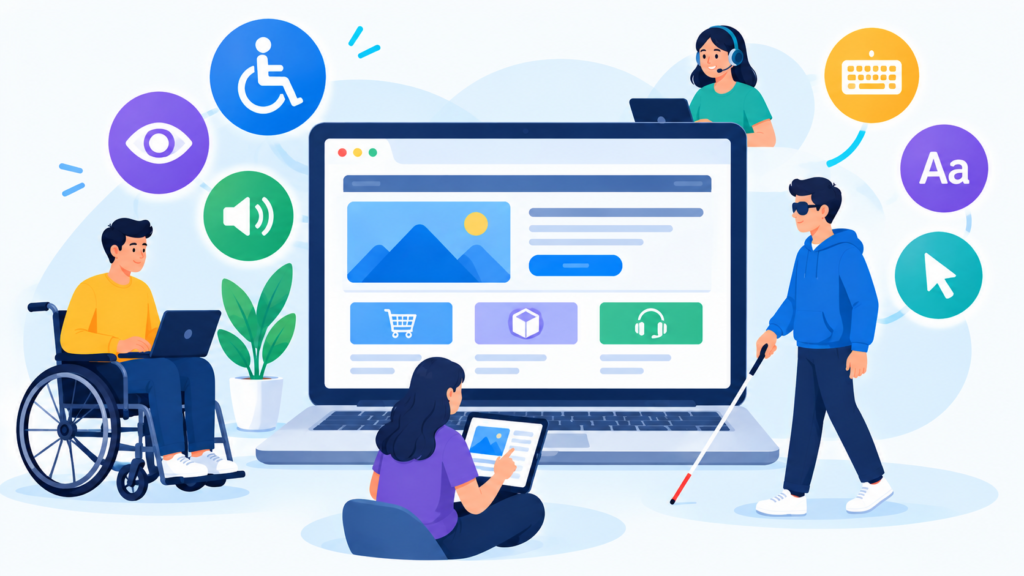
Quick Answer: Website accessibility maintenance helps ensure that a business website remains easy to use for people with different abilities, devices, and browsing preferences. Regularly checking navigation, forms, images, text, buttons, media, and interactive elements can make a website more usable and inclusive.
Accessibility is not something that should be considered only when a website is first developed. Website changes, content updates, plugins, themes, and new features can introduce accessibility problems over time. Regular Website Accessibility Maintenance helps identify and address these issues before they create a poor user experience.
What Is Website Accessibility Maintenance?
Website accessibility maintenance is the ongoing process of checking and improving a website so that its content and functionality remain usable for as many people as reasonably possible. It involves reviewing how visitors interact with pages, navigation menus, forms, images, buttons, videos, and other website elements.
A website that was accessible when it was launched may not remain equally accessible after months or years of updates. New pages, design changes, plugins, pop-ups, forms, and interactive features can unintentionally create barriers for some visitors.
This is why accessibility should be treated as part of regular Website Maintenance Services rather than as a one-time development task.
Why Is Website Accessibility Important for Businesses?
A business website is often the first place where potential customers interact with a company. If visitors struggle to understand content, navigate pages, complete forms, or interact with important features, they may leave the website without taking the desired action.
Accessibility improvements can also contribute to a more convenient experience for users who browse websites in different ways. Some visitors may use keyboard navigation, screen readers, browser zoom, mobile devices, or other assistive technologies.
By maintaining accessibility, businesses can make their websites easier to interact with while creating a more consistent experience across different users and browsing environments.
Keep Website Navigation Simple and Usable
Navigation plays an important role in accessibility because visitors need to understand where they are and how to reach other sections of the website. Complicated menus, unclear labels, inconsistent navigation, or difficult interactive elements can make browsing unnecessarily difficult.
Regular maintenance should review menus, navigation links, dropdowns, breadcrumbs, and other navigational elements after major website updates. A change to the header or menu may appear visually correct while still creating usability problems.
Clear navigation also benefits users who are simply trying to find information quickly. Accessibility maintenance therefore overlaps with general website usability and customer experience.
Check Website Forms Regularly
Forms are commonly used on business websites for contact requests, registrations, enquiries, newsletter subscriptions, and purchases. If a form is difficult to understand or operate, visitors may abandon it.
During regular maintenance, businesses should check whether form fields have clear labels, instructions are understandable, error messages are useful, and users can complete the form without unnecessary confusion.
Forms should also be tested after plugin updates or website design changes. A previously functional form can develop problems when its supporting software or layout is modified.
Maintain Accessible Images and Visual Content
Images can improve a website’s appearance and help communicate information, but they should not create barriers for visitors who cannot see them clearly. Important images should have meaningful alternative descriptions where appropriate so that their purpose can be understood through assistive technology.
Maintenance teams should also review images when existing content is updated or new product and service pages are added. Decorative images and informative images may require different treatment depending on their purpose.
Image maintenance should work alongside performance optimization as well. Properly maintained images can contribute to both accessibility and a better overall browsing experience.
Make Website Text Easy to Read
Website accessibility also involves readable content. Extremely small text, poor spacing, confusing layouts, or insufficient contrast can make information difficult to consume.
When website designs or templates are updated, businesses should check whether text remains readable across desktop, tablet, and mobile screens. Font sizes, spacing, headings, buttons, and content structure should remain consistent enough for visitors to understand the page easily.
Clear writing also supports accessibility. Well-structured paragraphs and descriptive headings can help visitors scan information and locate the content they need.
Check Keyboard Navigation
Not every visitor interacts with a website using a mouse or touchscreen. Some users navigate websites using a keyboard or assistive technologies.
Regular maintenance should therefore consider whether important interactive elements such as menus, buttons, links, forms, and pop-ups can be accessed and operated appropriately without relying entirely on a mouse.
This becomes particularly important after introducing new interactive features. A new menu, popup, booking form, or checkout component can affect how users navigate the website.
Maintain Accessible Buttons and Links
Buttons and links should communicate their purpose clearly. Generic labels can sometimes make it difficult for visitors to understand what will happen when they select an element.
During maintenance, businesses can review important calls to action, navigation links, download links, and interactive buttons to make sure their purpose is understandable from the surrounding context.
Links should also lead to the intended destination. Broken or misleading links create usability problems for all visitors and should be addressed as part of routine website maintenance.
Review Videos and Other Media
Modern websites may include videos, animations, audio, sliders, and other multimedia elements. While these features can improve engagement, they should be reviewed regularly to ensure they do not create unnecessary accessibility barriers.
For example, important video content may benefit from appropriate captions or supporting text, while automatically moving elements should be designed carefully so they do not interfere with visitors trying to read or interact with the page.
Media should also be tested after updates because changes to embedded players, plugins, or third-party services can affect how content works.
Test Accessibility After Website Updates
Website updates are one of the main reasons accessibility problems can appear unexpectedly. A new theme version, plugin, page template, popup, form, or design component can change how visitors interact with a website.
For this reason, accessibility testing should be included after significant updates rather than assuming that everything will continue working exactly as before.
Testing should focus on important pages such as the homepage, service pages, product pages, contact pages, forms, login areas, and checkout pages. These are often the areas where usability problems can have a greater impact on visitors.
Accessibility and Mobile Experience
Mobile accessibility is closely connected with general mobile usability. Visitors may use different screen sizes, browser settings, zoom levels, and touch interactions when accessing a website from a smartphone or tablet.
Regular maintenance should check whether navigation remains understandable, buttons are sufficiently usable, text remains readable, and important content does not become difficult to access on smaller screens.
This also connects with the importance of maintaining responsive websites. A website that works properly on a desktop computer may still need adjustments to provide a better experience on mobile devices.
How Accessibility Maintenance Supports SEO
Accessibility and SEO are different areas, but several website practices can support both. Clear headings, descriptive links, meaningful image alternatives, logical content structure, mobile usability, and good website performance can contribute to a better experience for users and search engines.
Accessibility maintenance should not be treated as an SEO shortcut. Instead, businesses should focus on making their websites genuinely easier to understand and use while maintaining sound technical and content practices.
This approach can also complement regular technical SEO maintenance by helping businesses identify broken links, confusing structures, missing information, and other usability issues.
Accessibility Should Be Part of Regular Website Maintenance
Website accessibility should not be treated as a separate task that is performed only once. Websites continuously change as businesses add content, introduce new features, update software, modify designs, and integrate third-party services.
A regular maintenance process provides an opportunity to review accessibility alongside security, performance, backups, technical SEO, content updates, and functionality testing.
This makes accessibility more manageable because businesses can identify smaller issues during routine maintenance instead of allowing multiple problems to accumulate over time.
When Should Businesses Check Website Accessibility?
Accessibility checks should be performed whenever significant website changes are introduced. New page templates, navigation changes, forms, plugins, themes, interactive elements, and major content updates can all justify an additional review.
In addition to these event-based checks, businesses can include accessibility reviews within their regular maintenance schedule. The exact frequency depends on how often the website changes and how important the website is to the business’s daily operations.
An e-commerce website, for example, may require more frequent reviews because product pages, checkout systems, filters, payment features, and promotional elements can change regularly.
Can Website Maintenance Improve the Overall User Experience?
Yes, accessibility maintenance can contribute to a better overall user experience by making website interactions clearer and easier to understand. However, accessibility is only one part of website usability.
Performance, navigation, content quality, mobile responsiveness, security, functionality, and visual design also influence how visitors experience a website. A strong maintenance process considers these areas together rather than focusing on a single technical issue.
This is why businesses often benefit from a structured Website Maintenance Plan that covers the technical and user-facing aspects of maintaining a website.
Conclusion
Website accessibility maintenance is an important part of keeping a business website usable as it grows and changes. Navigation, forms, images, text, buttons, links, multimedia, mobile layouts, and interactive features can all require attention when websites are regularly updated.
A website does not automatically remain accessible simply because it was designed correctly at launch. Changes to content, plugins, themes, layouts, and functionality can introduce new usability issues. Regular reviews help businesses identify these changes and address them as part of their normal maintenance process.
Accessibility maintenance can also complement other website maintenance activities, including performance optimization, technical SEO, security monitoring, content management, and mobile testing. Together, these practices can help create a more reliable and user-friendly website.
For businesses that depend on their websites to generate enquiries, sell products, provide services, or communicate with customers, maintaining accessibility should be considered part of long-term website management rather than an optional one-time task.
If your website needs regular technical updates, usability checks, performance monitoring, or ongoing support, professional Website Maintenance Services can help keep your website functional and user-friendly.
Need help maintaining your business website? Contact Us today to discuss your Website Maintenance Services requirements.
Frequently Asked Question
What is website accessibility maintenance?
Website accessibility maintenance is the ongoing process of reviewing and improving website elements such as navigation, forms, images, text, links, buttons, and interactive features so they remain usable for people with different needs and browsing methods.
Why does website accessibility need regular maintenance?
Websites change continuously. New content, plugins, themes, designs, forms, and features can introduce accessibility problems even when the original website was designed with accessibility in mind.
Does website accessibility maintenance improve user experience?
It can improve user experience by making website content and functionality easier to understand and interact with. Accessibility works alongside performance, mobile usability, navigation, content quality, and other factors that influence the overall experience.
Should accessibility be included in website maintenance services?
Yes. Including accessibility checks within regular website maintenance can help businesses identify usability issues after updates and keep important website functions easier to access.
Can accessibility affect SEO?
Some accessibility-related practices, such as clear content structure, descriptive links, meaningful image alternatives, mobile usability, and good technical implementation, can also support SEO. However, accessibility and SEO should be treated as separate objectives that can complement each other.
How often should a business website be checked for accessibility?
Accessibility should be reviewed after significant website changes and periodically as part of a regular maintenance schedule. Websites that change frequently may need more frequent checks.