Introduction
Businesses today use multiple digital platforms to manage communication, documents, customer information, and daily operations. While these systems help employees complete important tasks, disconnected applications and repetitive processes can reduce operational efficiency.
Artificial intelligence is introducing new opportunities to improve how employees interact with business information.
Microsoft Copilot provides AI-assisted capabilities across Microsoft products, allowing organizations to explore smarter approaches to communication, document management, data analysis, and collaboration.
However, the value of AI depends on how effectively it works within existing business environments.
Integrating Microsoft Copilot with relevant applications, information sources, and workflows requires careful technical planning, appropriate permissions, and a clear understanding of operational needs.
For organizations using Microsoft 365, SharePoint, Power Automate, and Power Apps, a structured integration strategy can support more connected and efficient business processes.
Why Business System Integration Matters
Modern organizations rarely operate through a single application.
Employees may use Microsoft Teams for communication, SharePoint for document management, Excel for reporting, and custom applications for internal processes.
When these tools are poorly connected, employees may spend unnecessary time switching between systems or manually transferring information.
Integration helps businesses establish more consistent information flows.
For example, a company may want employee requests submitted through an internal application to trigger an approval workflow and notify the appropriate department.
A well-designed integration can help connect these activities.
AI assistance may provide additional value when applied to suitable tasks within these processes.
Understanding Microsoft Copilot Integration
Microsoft Copilot integration involves connecting supported AI capabilities with relevant Microsoft applications, business information, or custom solutions.
The exact approach depends on which Copilot product an organization uses.
Microsoft 365 Copilot provides AI-assisted experiences across eligible Microsoft 365 applications.
Microsoft Copilot Studio supports the development of custom agents and connections to supported systems, subject to configuration and licensing.
Other Microsoft technologies may provide additional AI capabilities for specialized applications.
Businesses should understand these differences before planning an integration project.
Not every Copilot feature connects to every application, and some scenarios require additional technical development.
Common Integration Challenges Businesses Face
Organizations may encounter several challenges when connecting AI capabilities with existing systems.
Disconnected Information Sources
Important business information may be stored across multiple applications.
Inconsistent Access Permissions
Employees may have inappropriate or overly broad access to documents.
Legacy Business Processes
Older workflows may rely on manual approvals and disconnected tools.
Data Quality Problems
Incomplete or outdated information can reduce the usefulness of AI-assisted outputs.
Licensing Requirements
Different Microsoft Copilot products and integration capabilities may require separate licenses or consumption-based charges.
Security and Compliance
Businesses must ensure that integrations follow appropriate data protection and governance policies.
Addressing these issues early can help organizations reduce implementation risks.
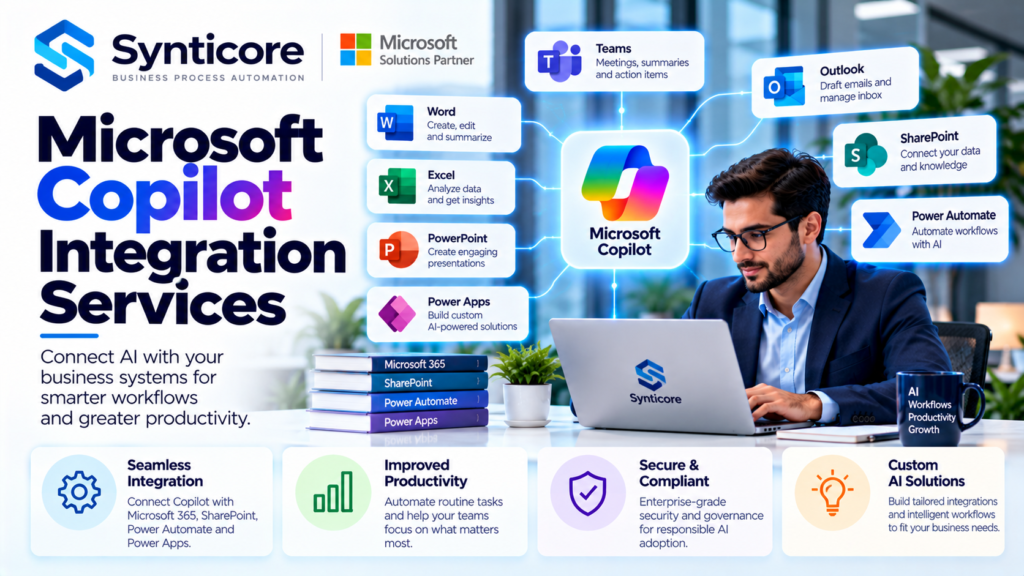
Microsoft Copilot Integration With Microsoft 365
Microsoft 365 provides a collection of applications used for communication, collaboration, and productivity.
Depending on licensing and available features, Microsoft 365 Copilot can support selected activities across these applications.
Microsoft Word
Copilot may assist employees with drafting, rewriting, and summarizing documents.
Microsoft Excel
Available capabilities may help users explore data and work with spreadsheet information.
Microsoft Outlook
AI-assisted features can support email drafting and conversation summaries.
Microsoft Teams
Copilot can assist with meeting summaries and discussion-related information when supported.
Microsoft PowerPoint
Employees may use Copilot to assist with presentation development.
These capabilities can improve selected knowledge-work activities, but important outputs still require human review.
Connecting Microsoft Copilot With SharePoint
SharePoint is a central document management and collaboration platform for many organizations.
Businesses often store policies, project files, reports, and internal resources in SharePoint libraries.
Microsoft 365 Copilot may use organizational information that users are authorized to access, depending on the relevant product capabilities.
This makes information governance particularly important.
Before expanding Copilot usage, organizations should review document permissions, outdated files, external sharing settings, and sensitive information.
A well-organized SharePoint environment can provide a stronger foundation for AI-assisted information discovery.
However, Copilot does not automatically correct inaccurate documents or inappropriate access permissions.
How Microsoft Copilot Integration Services Improve Business Connectivity
Professional microsoft copilot integration services can help organizations evaluate how AI capabilities fit within their existing Microsoft ecosystem.
The process may begin with identifying the applications employees use and the information they need to complete their work.
Consultants can then assess integration requirements, available connectors, access permissions, and technical limitations.
For example, a business may want employees to retrieve approved information from an internal knowledge source through a supported AI experience.
Another organization may explore connecting a custom agent with an existing workflow.
These projects require careful planning to ensure that the right information is accessible to authorized users.
Successful integration focuses on practical business requirements rather than connecting systems without a clear purpose.
Microsoft Copilot and Power Automate Integration
Microsoft Power Automate enables businesses to automate structured processes across supported applications and services.
Organizations use Power Automate for approvals, notifications, scheduled tasks, and data transfers.
Copilot-related capabilities can assist with selected automation development activities, depending on the environment.
For example, an employee may submit a request through a business application.
Power Automate can route that request to the appropriate manager and send notifications when its status changes.
An AI-powered experience could support certain information-related steps where technically appropriate.
However, sensitive or high-impact decisions should include suitable validation and human oversight.
Integrating Microsoft Copilot With Power Apps
Microsoft Power Apps allows organizations to build custom business applications.
These applications may support employee onboarding, service requests, inventory tracking, and internal data management.
Selected Copilot and AI capabilities may assist with app creation or provide AI-powered functionality, depending on product availability and configuration.
For example, a company could develop a Power Apps application for managing internal support requests.
Power Automate might handle notifications and approvals, while appropriate AI functionality supports selected information tasks.
Businesses should evaluate data access, licensing, reliability, and security before deploying these capabilities.
Using Microsoft Copilot Studio for Custom AI Solutions
Microsoft Copilot Studio provides tools for developing and managing custom AI agents.
Depending on the available features and configuration, organizations can create agents that interact with approved knowledge sources and supported business systems.
These solutions may help employees access information or perform selected tasks through conversational interfaces.
For example, an internal support agent might answer common questions using approved company documentation.
More advanced scenarios may involve connectors or actions that interact with business workflows.
However, custom agents require appropriate testing, permissions, governance, and ongoing monitoring.
Organizations should verify licensing and technical requirements before implementation.
Integrating Copilot With Existing Business Data
Business information may be distributed across Microsoft and non-Microsoft platforms.
Connecting these sources can be useful when employees need access to relevant information through a consistent interface.
However, integration methods vary depending on the systems involved.
Some applications support established connectors or APIs.
Other scenarios may require custom development or may not be supported.
Before connecting data sources, businesses should evaluate:
- Data ownership
- User authorization
- Connector availability
- API requirements
- Information accuracy
- Security controls
- Compliance obligations
- Ongoing maintenance
A successful integration should provide appropriate access without exposing sensitive information unnecessarily.
The Importance of Data Security in AI Integration
Data security should be considered throughout the integration process.
Organizations must understand which users can access information and how connected applications handle that information.
Microsoft environments provide various identity, security, and governance capabilities, but these controls must be configured appropriately.
Businesses should review existing permissions before enabling additional AI functionality.
Custom integrations may also introduce separate security considerations.
For example, a connector that accesses a business database should follow appropriate authentication and authorization practices.
Human oversight remains important when AI-generated outputs influence operational decisions.
Building Intelligent Document Workflows
Document-related activities are common candidates for process improvement.
Organizations regularly create reports, review contracts, approve requests, and manage internal records.
AI assistance may help employees draft or summarize certain documents.
Power Automate can support structured approval and notification processes.
SharePoint can provide document storage and collaboration.
Together, these technologies may support more efficient workflows when designed appropriately.
For example, a team could prepare a project report, store it in SharePoint, and use an automated workflow to request managerial approval.
AI assistance may support document preparation, while the approval process remains governed by defined business rules.
How Synticore Supports Microsoft-Based Workflow Integration
Synticore focuses on business workflow and process automation using Microsoft technologies, including Microsoft 365, SharePoint, Power Automate, and Power Apps.
These technologies can help organizations connect business activities, improve document management, and reduce repetitive manual processes.
For companies exploring Microsoft Copilot, a well-structured Microsoft environment can support more effective AI adoption.
For example, improving SharePoint information management or automating internal approval workflows may help prepare an organization for selected AI-assisted capabilities.
Synticore’s Microsoft-based workflow automation focus is relevant to these foundational improvements.
Businesses should confirm directly whether Synticore currently provides dedicated Copilot integration, Copilot Studio development, or custom AI agent implementation services.
A Practical Microsoft Copilot Integration Roadmap
Organizations can approach Copilot integration through a structured process.
Step 1: Identify Business Requirements
Determine which processes and information sources may benefit from AI assistance.
Step 2: Review Existing Systems
Evaluate Microsoft 365 applications, SharePoint environments, Power Platform solutions, and relevant third-party systems.
Step 3: Assess Security and Permissions
Review information access, identity management, and compliance requirements.
Step 4: Select Integration Methods
Identify supported connectors, APIs, or development approaches.
Step 5: Build a Pilot Solution
Test the integration with a limited group of users.
Step 6: Validate Performance
Evaluate output accuracy, system reliability, security, and employee feedback.
Step 7: Expand Gradually
Consider broader deployment after the pilot demonstrates suitable results.
Step 8: Maintain and Improve
Monitor integrations, update configurations, and review changing business requirements.
This approach helps organizations manage technical complexity and implementation risks.
Measuring the Value of Copilot Integration
Integration projects should be evaluated through measurable outcomes.
Useful indicators include:
Process Completion Time
Compare the time required to complete selected workflows before and after integration.
Manual Work Reduction
Identify repetitive activities that have been reduced.
Information Accessibility
Evaluate whether employees can locate relevant information more efficiently.
System Reliability
Monitor integration errors and operational disruptions.
Employee Experience
Collect feedback about usability and practical value.
Implementation Costs
Compare development, licensing, maintenance, and support costs with measurable benefits.
Organizations should establish clear objectives before implementation to evaluate results more effectively.
Common Mistakes to Avoid During Copilot Integration
Businesses should avoid several common integration mistakes.
These include:
- Connecting systems without clear business objectives
- Ignoring existing data quality problems
- Overlooking SharePoint permissions
- Using unsupported integration methods
- Failing to evaluate licensing costs
- Neglecting employee training
- Deploying custom agents without adequate testing
- Allowing AI-generated outputs to trigger sensitive actions without suitable controls
- Ignoring ongoing maintenance requirements
A carefully designed integration strategy can reduce these risks.
The Future of AI-Connected Business Systems
Organizations are increasingly exploring how AI assistance can work alongside business applications and automated workflows.
Microsoft technologies provide different capabilities for productivity, information management, application development, and process automation.
Future developments may create additional opportunities for connecting these systems.
However, successful integration will continue to depend on clear business requirements, accurate information, appropriate security controls, and ongoing technical management.
Businesses should evaluate new capabilities carefully rather than assuming every process benefits from AI.
A sustainable strategy prioritizes practical improvements and measurable operational value.
Conclusion
Microsoft Copilot offers opportunities for businesses to improve how employees interact with information and complete selected productivity tasks.
However, meaningful integration requires careful planning, technical compatibility, information governance, and appropriate security controls.
Professional Microsoft Copilot integration services can help organizations evaluate existing systems, identify suitable use cases, and develop structured integration strategies.
For businesses using Microsoft 365, SharePoint, Power Automate, and Power Apps, combining AI-assisted capabilities with well-designed workflows may support broader digital transformation.
The goal is to build connected business environments where technology improves productivity while maintaining reliability, security, and human oversight. Read more blog