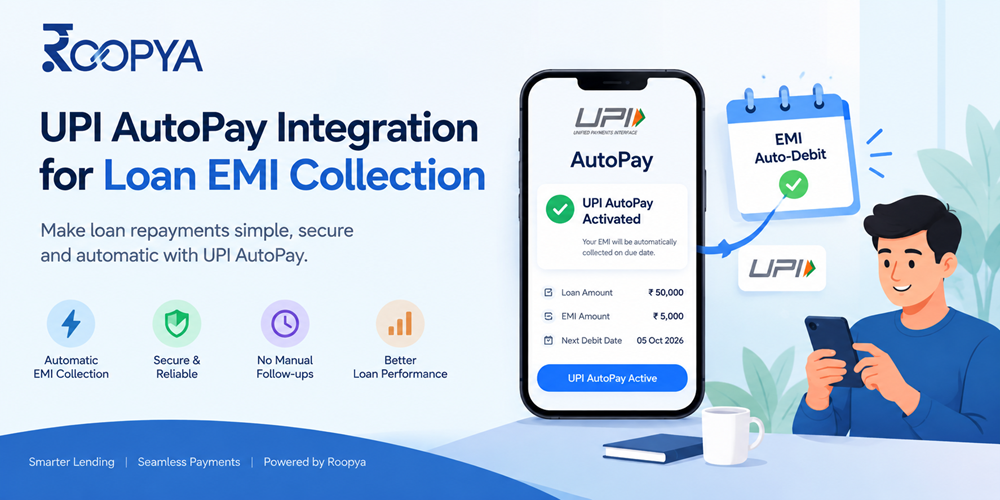
Automate loan EMI collection with UPI AutoPay: mandate flow, RBI e-mandate rules, failure handling and LMS integration. A guide for lenders.
For most lenders, collecting the EMI is where a loan either performs or starts to slip. A borrower who forgets a due date, a cheque that bounces or a paper mandate that takes days to register can each turn a healthy account into a delinquent one. Multiply that across thousands of small-ticket loans and both collection cost and credit loss climb quickly.
UPI AutoPay offers a way to automate repayment on the rails borrowers already use every day. The borrower approves a recurring mandate once inside a UPI app, and the lender can then debit each EMI on its due date without a fresh manual payment. Done well, this improves on-time repayment and cuts the effort of chasing borrowers.
Done badly, it produces failed debits, frustrated customers and compliance gaps. This guide explains how UPI AutoPay works for loan EMIs, the RBI rules to design around, the technical building blocks of an integration, and how a loan management system such as Roopya’s ties it all together.
Key takeaways
- UPI AutoPay lets a borrower approve a recurring EMI mandate once and have each instalment debited on schedule.
- Under RBI’s e-mandate framework, debits up to ₹15,000 can run without per-transaction authentication, and borrowers must receive a pre-debit notification at least 24 hours ahead.
- EMIs above ₹15,000 need extra authentication on each debit, so many lenders pair UPI AutoPay with eNACH and fallback payment options.
- An integration works reliably only when mandates stay in sync with the loan schedule, which is why the loan management system sits at the center.
What Is UPI AutoPay?
UPI AutoPay is a recurring payment feature on the Unified Payments Interface, run by NPCI. Instead of approving every payment, the borrower creates a mandate that authorises future debits from their bank account, up to an agreed maximum amount, at an agreed frequency and for an agreed period. The mandate is authenticated once with the borrower’s UPI PIN.
For loan repayment, the mandate usually mirrors the loan: the EMI amount, a monthly frequency and a validity that matches the tenure. Every mandate shows the lender’s name, amount and schedule inside the UPI app, so the borrower can see exactly what has been authorised. Once it is active, the lender presents a debit request on each due date, and the borrower’s bank processes it without asking for a PIN, provided the amount is within the permitted limit.
This differs from a normal UPI payment, where the borrower initiates and approves every transfer, and from a UPI collect request, which needs approval each time. AutoPay moves the decision from every due date to a single moment at onboarding.
Why UPI AutoPay Matters for Loan EMI Collection
Traditional repayment methods each carry friction. Post-dated cheques bounce and need physical handling. Paper-based NACH mandates can take days to register and are prone to form errors. Manual payments depend on the borrower remembering, having funds and finding time. UPI AutoPay addresses several of these problems at once:
- Faster activation. Registration happens on the borrower’s phone and can be completed in minutes at the point of disbursal, rather than after a paper process.
- Familiar experience. Borrowers already use UPI apps daily, so there is nothing new to install or learn.
- Mandate details are visible in the UPI app, which builds trust and reduces disputes about what was authorised.
- Predictable cash flow. Automated debits on the due date improve on-time collection and reduce reliance on reminders and field visits.
- Lower operating cost. Fewer manual follow-ups, cheque deposits and reconciliation exceptions mean a lower cost per collection.
- Real-time status. Success, failure and mandate status come back quickly, so collections teams can act the same day.
These gains are strongest for small-ticket and salary-linked products, such as personal loans and payday advances, where borrowers are digital-first and EMIs sit within the authentication-free limit.
Which Loan Products Suit UPI AutoPay Best?
UPI AutoPay is a strong fit wherever EMIs are modest, frequent and repaid by digitally active borrowers. Typical examples include:
- Personal and consumer loans. Fixed monthly EMIs that usually fall within the authentication-free limit.
- Payday and salary-advance loans. Short tenures with a single debit timed to the salary cycle.
- Small-ticket and microfinance loans. Frequent, small instalments where cash collection is costly and slow.
- Buy-now-pay-later and EMI-on-purchase products. High volumes of small instalments that need low-cost, automated collection.
For larger secured products, such as home, vehicle or business loans with EMIs above ₹15,000, UPI AutoPay usually works as one of several options, alongside eNACH and other bank-led mandates.
RBI Rules Lenders Must Design Around
UPI AutoPay for EMIs falls under the Reserve Bank of India’s Digital Payments – E-mandate Framework, 2026, which consolidates earlier rules for recurring payments made through cards, UPI and prepaid instruments. The points below matter most for lenders. Rules and limits change, so confirm current details with your sponsor bank or payment partner before launch.
| Requirement | What it means for EMI collection |
| One-time registration | The borrower authenticates once, with the UPI PIN, when creating the mandate. |
| Pre-debit notification | The borrower must be notified at least 24 hours before each debit, with the merchant name, amount, date and time, mandate reference and reason. The borrower can opt out. |
| Post-debit alert | A confirmation with transaction details follows each debit. |
| Authentication-free limit | Recurring debits up to ₹15,000 per transaction can run without additional authentication. Above that, authentication is needed every time. |
| Higher limit | The ₹1 lakh threshold applies to insurance premiums, mutual fund subscriptions and credit card bill payments. Loan EMIs are not on that list. |
| No customer charge | Customers are not charged for registering an e-mandate. |
One point deserves particular care. Several online guides state that UPI AutoPay allows loan EMIs of up to ₹1 lakh without additional authentication. The RBI text lists only three categories for the higher threshold, and EMIs are not among them. Plan on the basis that EMIs above ₹15,000 need authentication on each debit, and design your collection strategy around that.
Separately, RBI’s digital lending rules generally require repayments to flow directly from the borrower’s account to the regulated entity’s account, without pass-through or pool accounts of third parties. Structure any UPI AutoPay setup so that settlement goes straight to the lender, and ask your compliance team to confirm the arrangement.
How UPI AutoPay EMI Collection Works, Step by Step
- Mandate request. After approval, the lender’s system creates a mandate request with the EMI amount, frequency, start date and validity.
- Borrower approval. The borrower opens the request in a UPI app, checks the lender name and amount, and approves with the UPI PIN.
- Mandate confirmation. The bank confirms the mandate and the lender’s system marks it active against the loan account.
- Pre-debit notification. At least 24 hours before the due date, the borrower is notified of the upcoming debit and can opt out.
- Debit execution. On the due date, the lender presents the debit request and the bank processes it if funds are available and the amount is within limits.
- Posting and reconciliation. A successful debit is posted to the correct instalment, split into principal, interest and charges, and a receipt is sent.
- Failure handling. If the debit fails, the account enters a retry and follow-up workflow.
- When the loan ends, is prepaid or is foreclosed, the mandate is closed so no further debits are attempted.
UPI AutoPay vs eNACH: Choosing the Right Repayment Rail
UPI AutoPay is not the only way to automate EMIs. eNACH, the electronic version of NACH, remains widely used, particularly for larger instalments. Each rail has strengths:
| Factor | UPI AutoPay | eNACH |
| Authentication | UPI PIN in the borrower’s UPI app | Net banking, debit card or other bank-supported methods |
| Registration | Usually quick and completed in-app | Depends on the bank and channel; can take longer |
| Amount range | Up to ₹15,000 without per-debit authentication for EMIs | Wider range, depending on mandate type and bank; confirm current limits |
| Borrower visibility | Mandate visible and manageable in the UPI app | Managed mainly through the bank |
| Best fit | Small and mid-ticket EMIs, digital-first borrowers | Larger EMIs and borrowers who prefer bank-led mandates |
Most lenders use both rails instead of choosing one. A common approach is to offer UPI AutoPay by default for EMIs within the authentication-free limit, offer eNACH for larger instalments or borrowers who prefer it, and keep manual UPI payments or payment links as a fallback.
Technical Building Blocks of a UPI AutoPay Integration
Lenders usually connect to UPI AutoPay through a payment gateway, a payment service provider or a sponsor bank. Whichever route you take, a reliable integration needs these components:
- Mandate creation. An API call that creates the mandate with the EMI amount, frequency, start date and validity, then hands the borrower to their UPI app for approval.
- Status callbacks. Webhooks that report when a mandate is created, approved, paused, revoked or expired, so the loan record always reflects reality.
- Notification handling. Clarity on who sends the mandatory 24-hour notice, plus your own reminder showing the amount and date.
- Debit scheduling. Debit requests timed against the EMI due date, allowing for the notification window and bank holidays.
- Retry logic. Rules for when to retry a failed debit, how many times, and when to switch to another channel.
- Matching each payment to the right loan account and instalment, and flagging anything unmatched.
- Mandate lifecycle management. Updating or replacing mandates when the EMI, tenure or bank account changes.
- Security and audit. Authenticated APIs, encrypted data, role-based access and a full log of mandate and debit events.
Idempotency deserves special attention. Network timeouts are common, and a repeated debit request must never result in a second charge to the borrower.
Handling Failures, Cancellations and Limits
The happy path is easy. Most of the engineering effort goes into the exceptions:
- Insufficient balance. A frequent cause of failed debits. Send an alert before the due date, retry after typical salary dates, and offer a payment link as a backup.
- Bank or app changes. If the borrower changes the linked bank account or UPI ID, the mandate generally stops working and a new one is needed. Prompt re-registration inside your app.
- Borrower revokes the mandate. Under a standard mandate, borrowers can pause or revoke from their UPI app. Monitor for this, treat it as a risk signal and reach out. Some providers describe non-revocable options for loan repayment. Confirm availability with your payment partner and use them transparently, since borrowers should never be misled about control over their account.
- EMIs above ₹15,000. Each debit needs authentication. Options include eNACH or a payment link sent ahead of the due date.
- Changing schedules. Prepayments, part-payments, restructuring and rate changes on floating-rate loans alter the EMI, and the mandate must be updated to match.
Collection conduct matters as much as technology. Clear communication, reasonable grace handling and respectful follow-up protect customer relationships and align with RBI’s fair practice expectations.
Where the Loan Management System Fits
A UPI AutoPay integration is only as reliable as the loan schedule behind it. The loan management system holds the EMI schedule, outstanding balance, due dates and payment history, so it should be the source of truth for every mandate and debit. When the LMS drives the integration:
- Mandate amount and validity come from the amortization schedule, not from manual entry.
- Any change to the loan, such as prepayment or restructuring, can trigger a mandate update.
- Successful debits post to the right instalment automatically, and receipts reach the borrower.
- Failed debits move the account into a collections workflow with reminders, payment plans and agent tasks.
- Mandate cancellations and repeated failures feed early warning signals for risk teams.
Reporting completes the loop. Dashboards showing registration rate, debit success and collection efficiency by product, channel and branch show where automation works and where it needs attention.
How Roopya Supports EMI Collection Automation
Roopya provides a no-code, unified lending infrastructure that covers the journey from origination to collections. The parts most relevant to EMI collection are:
- [Loan management system](https://roopya.money/loan-management-system/). Portfolio management, payment processing, amortization schedules and a customer portal.
- [Collections](https://roopya.money/best-lending-software-for-nbfc/). Automated reminders, collection workflows, payment plans and agent management for accounts that miss a debit.
- [Early warning system](https://roopya.money/early-warning-signal/). Risk prediction, behavioral analytics and alerts that surface stress before delinquency.
- 300+ pre-integrated APIs and open REST APIs. Connections to payment gateways and other services, plus a route to link your own systems.
- No-code business rule engine. Configure collection and communication rules without waiting on engineering.
- Pay-as-per-use pricing. Start with zero upfront cost and grow with your volume.
Payment providers and mandate options vary by setup, so ask the Roopya team which UPI AutoPay and eNACH providers can be enabled for your loan products. You can request a demo or review the pricing page.
Common Mistakes to Avoid
Lenders who run into trouble with UPI AutoPay usually repeat the same few errors:
- Assuming the higher limit applies to EMIs. Building a journey around a ₹1 lakh limit that does not apply leads to failed or blocked debits.
- Hard-coding the mandate amount. When the EMI changes after a prepayment or rate revision, an outdated mandate either fails or over-debits.
- Ignoring the borrower’s view. If the mandate name shown in the UPI app is unfamiliar, borrowers may reject or later revoke it. Use a clear, recognizable lender name.
- Treating failure as final. A failed debit is often a timing problem. Without retries and a fallback channel, recoverable EMIs turn into delinquencies.
- Reconciling by hand. Manual matching does not scale and hides errors, especially with partial or duplicate payments.
Implementation Checklist for Lenders
- Confirm current UPI AutoPay limits, mandate types and retry rules with your sponsor bank or payment partner.
- Decide the rail mix by EMI size and borrower segment: UPI AutoPay, eNACH and fallback payment options.
- Offer mandate registration at disbursal or onboarding, with clear wording on amount, date and validity.
- Add your own pre-debit reminders on top of the mandatory notification.
- Define retry, grace and escalation rules for failed debits.
- Map mandate updates to loan events such as prepayment, restructuring and closure.
- Automate reconciliation and test edge cases such as partial debits, duplicate callbacks and delayed settlement.
- Have compliance review consent language, settlement flow and grievance handling before go-live.
Metrics to Track After Launch
Measure whether automation is delivering. These indicators, reviewed regularly, will show it:
- Mandate registration rate. The share of eligible borrowers who complete registration.
- First-debit success rate. A weak first debit usually points to a journey or bank-account problem.
- Overall debit success rate. Track by bank, product and EMI size.
- Mandate cancellation rate. A rising rate can signal borrower dissatisfaction or financial stress.
- Retry recovery rate. How many failed debits are recovered by retries or fallback channels.
- Collection efficiency and cost per collection. The clearest measures of overall impact.
Start with one product, prove the results, and then extend UPI AutoPay to more portfolios. A platform that lets you change rules, schedules and communication quickly makes that expansion far easier.
Frequently Asked Questions
Place this block at the bottom of the landing page. The answers match the FAQPage schema in section 4 word for word.
Frequently Asked Questions
What is UPI AutoPay for loan EMI collection?
UPI AutoPay lets a borrower approve a recurring mandate once in a UPI app, authorising the lender to debit each EMI from the borrower’s bank account on its due date. It replaces manual payments or paper mandates with an automated, trackable process.
What is the UPI AutoPay limit for loan EMIs?
Under RBI’s e-mandate framework, recurring debits up to ₹15,000 per transaction can be processed without additional authentication. Above that, authentication is needed each time. The higher ₹1 lakh threshold applies to insurance premiums, mutual funds and credit card bills, not loan EMIs. Limits can change, so confirm with your bank or payment partner.
Is a pre-debit notification mandatory?
Yes. The borrower must be notified at least 24 hours before each debit, with details such as the lender name, amount, date and mandate reference, and must be able to opt out. A post-debit confirmation should follow each transaction.
Can a borrower cancel a UPI AutoPay mandate?
Under a standard mandate, yes. Borrowers can pause or revoke it from their UPI app. Lenders should monitor for cancellations, contact the borrower and offer re-registration or another payment method. Ask your payment partner whether any non-revocable option exists for your category before relying on it.
What happens if a UPI AutoPay debit fails?
The account should move into a defined workflow: an alert to the borrower, a retry after a sensible interval, a payment link as a fallback and escalation to collections if the EMI stays unpaid. Retry rules must follow the limits set by your payment partner and NPCI guidelines.
How is UPI AutoPay different from eNACH?
UPI AutoPay is authenticated with the UPI PIN inside a UPI app and is usually quick to register. eNACH is bank-led and authenticated through channels such as net banking or debit card, and it can support a wider range of amounts. Many lenders offer both.
Does UPI AutoPay comply with RBI digital lending rules?
It can, if it is set up correctly. The borrower must give authenticated consent, notifications must be sent on time, and repayments should flow directly to the regulated lender’s account without a third-party pool account. Your compliance team should review the full setup.
How does a loan management system help with UPI AutoPay?
The loan management system holds the EMI schedule and payment history, so it can drive mandate amounts, update mandates when the loan changes, post successful debits and trigger collection workflows when a debit fails.
Can Roopya help automate EMI collection?
Roopya’s platform includes a loan management system with payment processing and amortization schedules, a collections module with automated reminders and workflows, an early warning system, and 300+ pre-integrated APIs. Contact the team to confirm which UPI AutoPay and eNACH providers can be enabled for your setup.